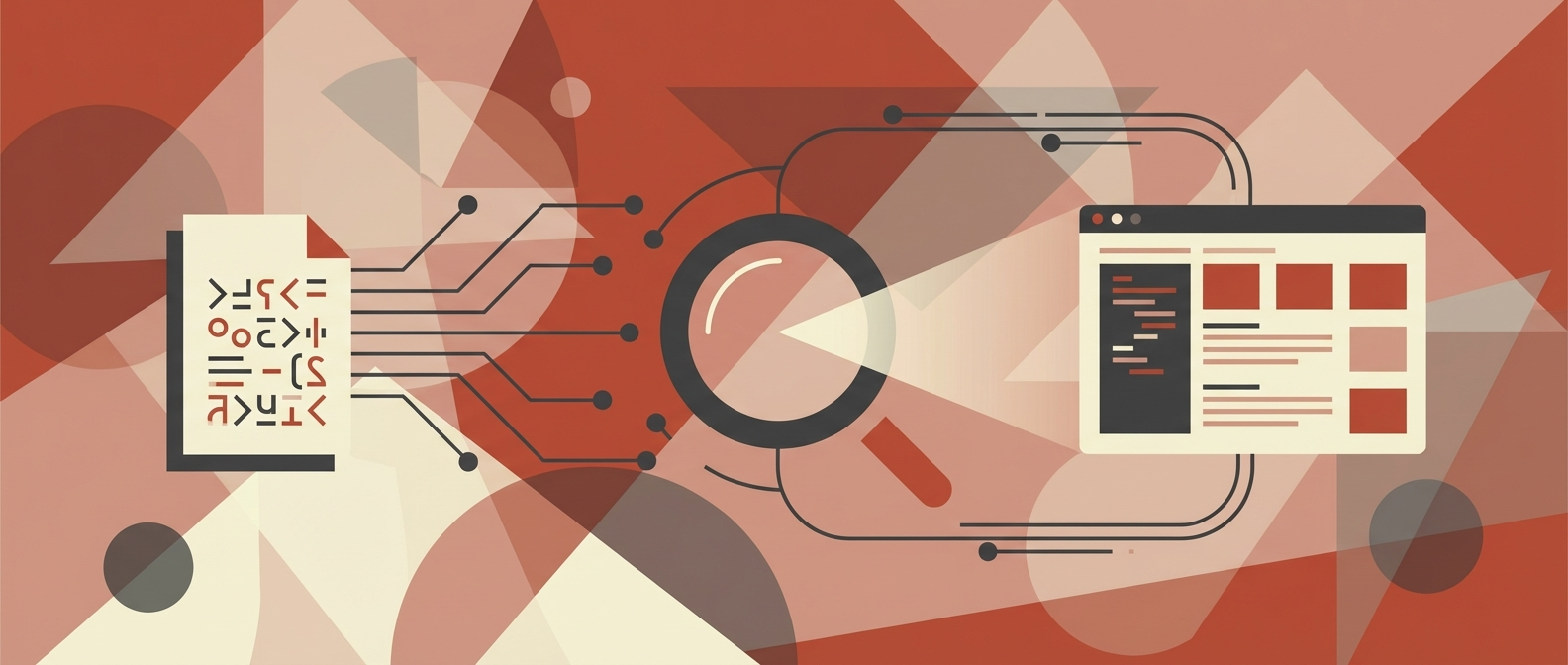
Discover what is optical character recognition (OCR), how it transforms images into data, and its real-world impact on business automation and efficiency.
Ever find yourself staring at a mountain of paperwork—invoices, contracts, or even old meeting notes—wishing you could just hit "Ctrl+F" to find what you need? That's the exact problem Optical Character Recognition, or OCR, was born to solve.
Simply put, OCR technology is the magic that turns a picture of text into actual text your computer can work with. It's the bridge between the physical documents piled on your desk and the searchable, editable digital data that powers your business.
What Is Optical Character Recognition Explained
At its heart, OCR answers a fundamental business challenge: how do we get the valuable information trapped in paper documents and image files into our digital systems? Every day, companies are flooded with this kind of unstructured data—supplier invoices, job applicant resumes, signed client agreements, and patient intake forms.
Without OCR, the only way to deal with this is manual data entry. Someone has to sit there and physically type every single piece of information into a database or spreadsheet. It’s not just mind-numbingly slow; it's a recipe for costly human errors that can create chaos down the line.
To give you a clearer picture, let's break down the essential components of OCR technology and what they mean for a business.
Table: OCR at a Glance Key Concepts
Concept Description Business Impact
Digitization The process of converting an image of text (from a scanner or photo) into a machine-readable text file (like a Word doc or TXT file). Unlocks data from physical documents, making it accessible and searchable within digital systems.
Data Extraction The software's ability to identify and pull specific pieces of information, like an invoice number, a date, or a customer name, from the digitized text. Automates the capture of critical business data, eliminating the need for manual keying and reducing errors.
Automation Using the extracted data to trigger next steps in a process, such as routing an invoice for approval or adding a candidate's info to an ATS. Drastically speeds up workflows, reduces operational costs, and frees up employees for more strategic work.
This table shows how OCR is more than just a scanning tool; it's a foundational piece of modern operational efficiency.
Unlocking Data and Driving Efficiency
OCR completely flips the script on document processing. Instead of a person spending hours reading and re-typing, the software "reads" the document in seconds. This is why you'll often hear experts talk about the ability to scan text from an image with high accuracy using OCR as a game-changer. By automating this first, crucial step, businesses can process thousands of documents in the time it used to take a human to get through a small stack.
The ripple effect is felt across the entire organization:
- Finance teams can clear invoice backlogs in minutes, not weeks.
- HR departments can screen and sort hundreds of resumes almost instantly.
- Legal teams can digitize massive contracts and search for specific clauses in a snap.
- Operations leaders get to eliminate the tedious, low-value work that burns out their best people.
The real goal of OCR isn't just to digitize paper; it's to make the information on that paper instantly usable. It turns static images into dynamic data that can be analyzed, shared, and acted upon without a human ever touching a keyboard.
Ultimately, OCR is a cornerstone technology for any serious business automation effort. It’s what transforms unusable image files into the structured data that fuels smarter, faster systems. By adopting OCR, businesses slash costs, boost data accuracy, and accelerate their core operations—making it a key ingredient in any workflow automation strategy designed to deliver a real return on investment.
To really get what today's OCR can do, it helps to understand that it didn't just pop into existence. The tech we rely on now is the result of almost a century of tinkering and breakthroughs, starting with clunky mechanical devices that bear little resemblance to modern software.
Believe it or not, the whole idea started as a way to help the visually impaired read. The practical journey of optical character recognition began in the early 20th century, with inventors creating machines to turn printed letters into signals. Early contraptions like Emanuel Goldberg’s “Statistical Machine” were true mechanical marvels for their time, setting the stage for everything that followed. You can actually explore more about OCR's foundational history to see how these initial sparks of genius evolved.
From Single Fonts to Reading Almost Anything
The first commercial OCR systems that appeared in the 1950s and '60s were incredibly rigid. They could only read one specific, machine-friendly font, like the blocky OCR-A font you might still spot on old bank checks. This "template matching" method was fine for controlled environments like mail sorting facilities, where every envelope was printed in the same typeface.
But the real world is a chaotic mix of fonts, styles, and layouts. The game really changed in 1974 when inventor Ray Kurzweil created the first ‘omni-font’ OCR system. This was a massive leap. For the first time, a machine could recognize text printed in most common fonts, not just a single, pre-programmed one.
This shift from single-font to omni-font technology was the moment OCR broke out of its niche. It was the first real step toward a system that could read documents with the kind of flexibility we now take for granted.
This innovation cracked the door open for businesses to digitize a much wider range of documents, transforming OCR from a highly specialized tool into a more versatile one.
The Modern Leap with Machine Learning
The next quantum leap came from artificial intelligence. Omni-font systems were great, but they still stumbled over blurry text, skewed pages, and messy layouts. Bringing machine learning and neural networks into the picture changed everything.
Instead of just matching patterns against a fixed template, modern OCR systems learn to recognize characters by analyzing millions of examples. This AI-powered approach gives them some incredible abilities:
- Handling Imperfections: They can read text from low-quality scans, crooked photos, and blurry images with surprising accuracy.
- Understanding Context: Neural networks don't just see letters; they see words and sentences. This helps them figure out if that shape is the number ‘0’ or the letter ‘O’ based on the surrounding text.
- Getting Smarter: These systems are constantly learning. The more data they process, the more accurate they become.
This evolution is what turned OCR from a simple scanning tool into the intelligent data extraction engine businesses rely on today. It’s why the software can pull data from a crumpled, coffee-stained invoice just as easily as it can from a perfectly formatted report.
How OCR Technology Actually Works
Ever wondered what’s happening under the hood when you scan a receipt with your banking app? It’s not magic—it's a surprisingly logical, step-by-step process. Think of it like a person deciphering messy handwriting. First, you might tilt the paper to get a better angle and more light. Then, your brain starts recognizing the individual letters and words. Finally, you use the context of the sentence to figure out that scribbled word that looks like "nun" is actually "run."
OCR software does pretty much the same thing, just with algorithms instead of a brain. The entire workflow breaks down into three core stages.
Stage 1: Image Preprocessing
Before a single character can be read, the software has to clean up the source image. Let's be honest, most real-world documents aren't perfect. They’re scanned at a slight angle, have weird shadows, or contain little specks and smudges. The image preprocessing stage is the digital cleanup crew.
This is all about preparing the image for the main event. The system runs through a few key steps to get it ready for analysis:
- Deskewing: The algorithm detects if the page is tilted and rotates it until the text is perfectly horizontal. No more reading on a slant.
- Binarization: It converts the image to simple black and white. This isn't just for looks; removing all the color and grayscale information makes the characters stand out in high contrast, which is crucial for the AI.
- Noise Reduction: The software intelligently scrubs away any visual clutter—stray pixels, coffee stains, or background textures—that could be mistaken for a period or part of a letter.
Think of this stage as an essential first filter. Without a clean, properly oriented image, even the smartest recognition engine will stumble and produce a mess of errors.
Stage 2: Character Recognition
With a pristine, prepped image in hand, the real "reading" can begin. This is the heart of the whole operation, where the software looks at the black-and-white shapes and figures out which letters, numbers, and symbols they are. Modern OCR relies heavily on machine learning models, usually neural networks, to pull this off.
There are two main approaches here:
- Pattern Matching: This is the old-school method. The software holds up each character shape and compares it to a massive library of known fonts and letters, looking for a match. It works great for clean, typed documents with standard fonts but falls apart with anything unusual.
- Feature Extraction: This is the smarter, more modern technique. Instead of matching the whole shape, the AI breaks each character down into its fundamental building blocks—the lines, curves, and intersections. It knows an "A" isn't just a picture; it's two diagonal lines meeting at the top with a horizontal bar across the middle.
This feature-based approach is what makes today’s OCR so powerful. By understanding the structure of a character, the software can accurately identify it across thousands of different fonts and even make a decent attempt at reading handwriting.
Stage 3: Post-Processing and Validation
The job isn't done once the characters are recognized. The raw text output is often full of small, predictable mistakes. Maybe it confused the letter "O" with the number "0," or an "S" with a "5." The final stage, post-processing, is all about quality control.
Here, the system applies context and rules to clean up the output. For example, it might use a dictionary to spot a nonsensical word like "acc0unt" and automatically correct it to "account." More advanced systems use Natural Language Processing (NLP) to understand the document's context, recognizing that a string of digits in a "Total" field should be a number, not a jumble of letters.
This final polish is what turns a rough digital transcript into clean, reliable data that you can actually trust and use in your business systems.
You often hear "OCR" thrown around as a catch-all term for scanning documents, but it's actually just one piece of a much bigger puzzle. The world of recognition technology is surprisingly diverse, and picking the right tool for the job is the difference between success and a whole lot of manual correction.
Think of it this way: you wouldn't use the same method to read a printed book, decipher a doctor's prescription, and grade a multiple-choice test. Each task requires a different approach, and it's the same with document processing. Understanding the nuances between these technologies helps you choose a solution that can actually handle your specific needs, whether that's clean invoices, handwritten forms, or checkbox surveys.
Optical Character Recognition (OCR) for Printed Text
This is the one most people know. Standard Optical Character Recognition (OCR) is the workhorse designed to convert machine-printed text into digital, editable data. It’s perfect for the clean, consistent characters you find in books, contracts, and printed invoices.
Modern OCR engines are incredibly reliable, often hitting accuracy rates above 98% on high-quality documents. This makes it the go-to for digitizing archives, automating accounts payable with vendor invoices, or pulling data from any standardized, typed source.
Intelligent Character Recognition (ICR) for Handwriting
Things get more complicated when you're dealing with handwriting. For that, you need Intelligent Character Recognition (ICR). Unlike the uniform shapes of typed fonts, every person's handwriting has its own unique quirks—slants, loops, and connected letters.
ICR leans on sophisticated machine learning to make sense of these messy, variable patterns. It's a much heavier lift than standard OCR, so its accuracy is naturally a bit lower, usually falling somewhere between 80% and 95%. It all depends on how neat the writing is. ICR is the magic behind processing handwritten patient forms, customer feedback cards, and signed applications.
Optical Mark Recognition (OMR) for Marked Data
Last but not least is Optical Mark Recognition (OMR). This one is the odd one out because it doesn't actually read characters. Instead, it just looks for the presence or absence of a mark in a specific spot.
Think of the technology behind standardized tests or surveys. OMR isn't trying to understand what you wrote; it's simply checking which bubble you filled in or which box you ticked.
Because OMR is dealing with a simple yes/no question—is there a mark here or not?—it's lightning-fast and incredibly precise, with accuracy approaching 100%. It’s the perfect tool for tallying votes, grading exams, and processing satisfaction surveys where the answers are just filled-in circles.
To make these distinctions even clearer, here’s a quick breakdown of how these technologies stack up against each other.
OCR vs ICR vs OMR A Quick Comparison
Technology Best For Typical Accuracy Common Use Case
OCR Machine-printed text (books, invoices, contracts) >98% Digitizing archives, invoice processing
ICR Cursive and print handwriting (forms, notes) 80%–95% Patient intake forms, signed applications
OMR Marked bubbles and checkboxes (surveys, tests) ~100% Grading exams, processing survey results
Each of these technologies solves a different piece of the data capture puzzle. While OCR handles the bulk of standardized business documents, ICR and OMR step in for more specialized, but equally important, tasks. Choosing the right one is the first step toward building an effective automation strategy.
Real World Business Applications of OCR
Knowing the theory behind OCR is one thing, but seeing it in action is where its value really clicks. Across every industry, businesses are finally moving away from sluggish, error-prone manual data entry and embracing the automation OCR makes possible. The change is most dramatic in the departments that have traditionally been buried under mountains of paperwork.
Picture the classic "before and after." Before OCR, a finance team member might spend half their day manually typing line items from hundreds of supplier invoices into a spreadsheet. It’s not just slow and expensive—it’s a recipe for human error, leading to payment delays and painful reconciliation headaches.
Now, introduce OCR into that same workflow. Invoices are scanned automatically, the text is instantly digitized, and key data points are pulled out in seconds. A task that once consumed hours is now done in minutes, and with far greater accuracy.
Automating Core Business Functions
This same principle—transforming slow, manual work into a fast, automated process—applies all across an organization. The applications are everywhere, and they all deliver measurable bumps in efficiency and data quality.
- Invoice and Receipt Processing: Finance teams can automatically grab vendor names, invoice numbers, dollar amounts, and even specific line-item details. This gets approvals moving faster and ensures payments go out on time, which keeps suppliers happy.
- Recruitment and HR: Imagine sifting through thousands of resumes. With OCR, HR teams can parse them instantly, pulling out candidate details like contact info, work history, and skills right into an Applicant Tracking System (ATS).
- Legal Contract Management: Law firms and in-house legal teams use OCR to digitize massive archives of contracts. Suddenly, decades of legal documents become fully searchable, making compliance checks and risk analysis incredibly fast.
The real win with OCR in business isn't just scanning paper. It's about turning static, unstructured documents into live, structured data that fuels faster, smarter decisions.
Driving Growth and Modernization
The shift from old-school, rule-based systems to modern machine learning has blown the doors off what’s possible, which is why we’re seeing such widespread adoption. This evolution is why the global OCR market is projected to grow at a compound annual growth rate of roughly 15% between 2020 and 2030, hitting an estimated $51.5 billion by 2030. That growth is being driven by huge digitization projects in finance, healthcare, and logistics.
This technology has become a cornerstone of modern document management services, where the end goal is to create a single, reliable source for all business information. For example, many of today's AI-powered PDF readers lean on OCR to make text inside scanned documents and images interactive and searchable.
By knocking out these manual bottlenecks, companies free up their people to focus on strategic work that actually matters—all while cutting operational costs and improving the quality of their data.
How to Implement OCR for Maximum Business Impact
Getting real value out of optical character recognition is less about the software you buy and more about the strategy you build around it. A smart implementation plan is the difference between a shiny new tool that nobody uses and a genuine operational game-changer. It all starts by taking a hard, honest look at your documents and figuring out what "success" actually means for your team.
First things first: what are you feeding the machine? Take a close look at the documents you want to process. Are they crisp, high-resolution scans or blurry photos from a phone? The quality of your input directly dictates the quality of your output. Garbage in, garbage out.
At the same time, you have to define your accuracy threshold. A 95% accuracy rate might be perfectly fine for archiving old records, but if you're automating accounts payable, you'll need to aim for something much closer to 99%. One wrong digit in an invoice total can cause a lot of headaches.
Planning for When Things Go Sideways
Here's a dose of reality: no OCR system is perfect. That's why your plan has to account for exceptions from day one. This is where a human-in-the-loop (HITL) process becomes your best friend.
Instead of aiming for 100% automation (which is a recipe for frustration), a HITL workflow lets the software do the heavy lifting and flag the tricky stuff—like a smudged date or a hard-to-read line item—for a quick review by a human. This approach gives you the speed of automation without sacrificing the accuracy that comes from human oversight. It’s about building a partnership between people and technology.
You can see how this works in practice in our deep-dive on how to automate invoice processing.
Prove It with a Pilot Project
Don't try to boil the ocean. Instead of a massive, company-wide rollout, the smartest move is to start with a focused pilot project. Think of it as a proof of concept that lets you measure real-world performance, iron out the kinks, and build a rock-solid business case before you scale.
Companies that combine OCR with other intelligent automation tools typically cut down manual processing time by 30% to 60% in the targeted workflows. The standard advice from consultants is to run a 4–6 week pilot to get hard numbers on speed and accuracy, figure out how much human review you'll really need, and build a model for cost savings. This gives operations and finance leaders the data they need to justify a full-scale deployment.
To set your pilot up for success, zero in on these key steps:
- Pick a High-Impact Use Case: Start where the pain is most acute. Accounts payable, resume screening, or customer onboarding are classic examples where a win will get noticed.
- Define Your Metrics: Know what you're measuring before you start. Key performance indicators (KPIs) like processing time per document, cost per document, and error rate reduction will tell you if it's working.
- Plan Your Connections: Think about how this new tool will talk to your existing systems. You need to map out the data flow between the OCR software and your ERP, CRM, or other core platforms to avoid creating information silos.
Questions We Hear All the Time About OCR
As leaders start digging into what optical character recognition can do for their business, the same practical questions tend to pop up. Getting straight answers on accuracy, document complexity, and the all-important financial return is the first step to making a smart decision.
Here’s a no-fluff breakdown of the questions we field most often.
How Accurate Is This Stuff, Really?
On a good day, with a high-quality, typed document, modern AI-powered OCR can hit over 98% accuracy. But let's be realistic—your business doesn't run on perfect documents.
Real-world accuracy is a moving target. It depends on everything from the scan quality and document layout to weird fonts and handwritten notes. For handwriting (what we call ICR), the accuracy is naturally lower because everyone's script is different. The only way to know for sure is to run a small pilot with your actual documents. This gives you a real benchmark, not just a sales number.
The takeaway here isn't a single percentage. It's that accuracy is something you measure and manage. A smart setup always includes a human-in-the-loop to quickly review the few exceptions, keeping your data clean without slowing things down.
Can OCR Handle Messy Documents with Tables and Columns?
Yes, but this is where basic OCR taps out and more sophisticated tools take over. Standard OCR is great at pulling text from a simple page, but it gets completely lost when faced with complex tables, columns, and forms.
This is a job for Intelligent Document Processing (IDP). Think of IDP as OCR with a brain. It uses AI to understand the structure of a document, not just the text. It knows how to find the "Invoice Number" and grab the value next to it, even if it's in a different spot on every invoice. This is the technology that makes it possible to automate workflows for invoices, purchase orders, and other structured forms.
What's the Real ROI on an OCR Project?
The return on investment for OCR is usually pretty quick and shows up in a few different ways. Most businesses see a 30-60% drop in the time it takes to process documents manually, which is a direct saving on labor costs.
But the real value goes beyond that. You also get:
- Faster Turnaround: Invoices get paid sooner, customers get onboarded faster.
- Fewer Mistakes: You eliminate the expensive, frustrating errors that come with manual data entry.
- A Clear Audit Trail: Every document becomes a searchable digital asset, which keeps compliance teams happy.
The biggest wins come when OCR is part of a bigger automation strategy. It’s not just about pulling the data; it’s about using that data to kick off the next step in the process automatically.
Ready to stop drowning in paperwork and start building data-driven workflows? The team at Red Brick Labs designs and builds custom AI automation solutions that deliver real, measurable results. Schedule a consultation with our experts today.