Invoice exception handling is where AP automation either becomes useful or starts generating expensive nonsense with a nicer interface.
Clean invoices are not the problem. The problem is the invoice with the missing PO, wrong supplier, changed remittance address, duplicate warning, low OCR confidence, tax mismatch, unclear approver, or PO amount variance. Those are not just processing delays. They are control points.
This template gives finance and operations teams a practical way to define the exception workflow before buying software, building automation, or handing the mess to an AI agent.
Short answer
An invoice exception handling workflow template should define the exception taxonomy, required invoice fields, validation rules, owner routing, escalation policy, human review points, approval controls, audit fields, ERP sync rules, and operating metrics. Use it before automating AP exceptions so the system knows what to hold, who owns the next action, when to escalate, and which decisions must stay with finance.
If your upstream invoice capture is still weak, start with the accounts payable OCR software guide or the invoice OCR vendor evaluation scorecard. If you already have exceptions piling up, pair this template with the guide to automating invoice exception handling without losing controls.
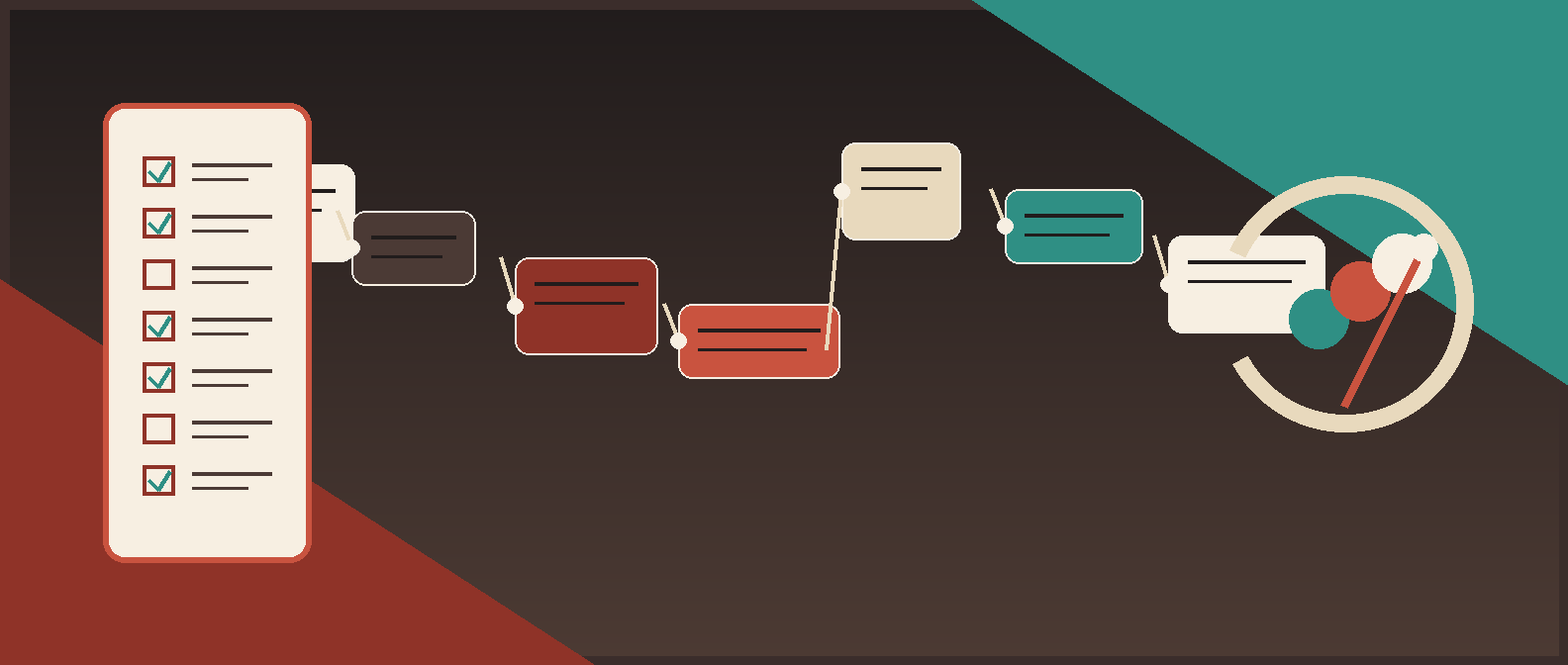
*Template preview: a controlled AP exception workflow moves invoices through intake, validation, owner routing, escalation, approval, sync, and monitoring.*
The invoice exception handling workflow template
Copy this into a spreadsheet, Notion doc, Airtable base, ERP workflow brief, AP automation project, or implementation ticket. The format matters less than the discipline: one record, one owner, one next action, one audit trail.
| Workflow field | Template prompt | Example |
|---|---|---|
| Invoice ID | What stable internal ID follows the invoice through the workflow? | INV-WF-2026-000417 |
| Source document | Where can the reviewer inspect the invoice? | AP inbox attachment, vendor portal link, SharePoint file |
| Intake channel | Where did the invoice arrive? | Email, upload, EDI, vendor portal, scanner |
| Vendor | Which vendor submitted the invoice? | Vendor name plus vendor master ID |
| Invoice number | What invoice number appears on the document? | INV-84391 |
| Amount and currency | What amount is being requested? | USD 18,420.00 |
| PO status | Is there a PO, and does it match? | PO exists, price variance over tolerance |
| Exception type | Why did the invoice stop? | PO amount mismatch |
| Severity | How risky or urgent is the exception? | Low, medium, high, critical |
| Current owner | Who owns the next action? | Procurement manager |
| Next action | What must happen before the invoice can move? | Confirm whether overage is valid |
| Due date | When does this exception need action? | 2 business days from assignment |
| Escalation date | When does it escalate if untouched? | 3 business days from assignment |
| Human decision | What did the reviewer decide? | Approve overage, reject, request credit, return to vendor |
| Evidence | What proof supports the decision? | PO, receipt, email approval, contract, corrected invoice |
| Audit log | Who changed what, and when? | User, timestamp, old value, new value, reason |
| ERP sync status | Did the approved record reach the accounting system? | Pending, synced, failed, held |
| Root cause | Why did the exception happen? | Vendor invoiced before receipt was confirmed |
That is the core object. Everything else is workflow around it.
Step 1: Define the exception taxonomy
Do not start with routing. Start with the reasons invoices stop. If the taxonomy is vague, the workflow becomes a faster way to argue in Slack.
| Exception type | Trigger | Default owner | Automation can do | Human must decide |
|---|---|---|---|---|
| Missing required field | Vendor, invoice number, date, amount, currency, PO, or source file missing | AP intake | Return to intake, request correction, hold record | Whether to accept partial information |
| Low extraction confidence | OCR or AI confidence is weak on critical fields | AP reviewer | Flag field, highlight source, queue for review | Correct extracted value |
| Vendor not recognized | No clear vendor master match | Vendor management or AP lead | Suggest likely matches, hold invoice | Create vendor or reject invoice |
| Payment detail change | Bank, remit-to, payment method, or address differs from vendor master | Controller or vendor verification owner | Block straight-through processing | Verify change through approved channel |
| Duplicate invoice risk | Same or similar vendor, invoice number, amount, date, or PO appears before | AP lead | Detect exact and fuzzy duplicates, hold invoice | Confirm duplicate or release warning |
| Missing PO | PO required but absent | Requester or procurement | Route to requester, request PO | Approve non-PO path or reject |
| PO price variance | Invoice price exceeds PO tolerance | Procurement | Compare PO, invoice, and tolerance | Approve overage or require correction |
| PO quantity or receipt variance | Quantity billed does not match receipt or order | Receiving, operations, or requester | Route to receiving owner | Confirm receipt, dispute, or adjust |
| Tax, entity, or currency issue | Tax, VAT, GST, entity, location, or currency is inconsistent | Finance or tax owner | Flag and route | Decide accounting treatment |
| Approval owner missing | Department, cost center, or requester cannot resolve approver | Finance ops | Suggest owner from rules | Assign correct approver |
| Contract or milestone mismatch | Invoice references SOW, renewal, milestone, or contract terms | Legal ops or business owner | Attach contract context | Confirm commercial obligation |
| High-value exception | Amount crosses finance threshold | Controller or finance leader | Hold and escalate | Release, reject, or require extra approval |
| ERP sync failure | Approved invoice fails accounting-system writeback | Systems owner | Retry safely, create sync task | Correct mapping or integration issue |
Keep the first version narrow. Fifteen exception types with clean owner rules beat forty categories nobody trusts.
Step 2: Set routing rules
Every exception type needs a default owner, backup owner, SLA, and escalation path. "AP will follow up" is not ownership. It is how invoices go to die.
| Exception | Primary owner | Backup owner | First response SLA | Escalation trigger | Escalates to |
|---|---|---|---|---|---|
| Missing invoice field | AP intake | AP lead | 1 business day | No vendor response after 2 business days | AP manager |
| Low confidence on amount, tax, or currency | AP reviewer | AP lead | Same day | Reviewer cannot confirm from source document | Controller |
| Vendor not recognized | Vendor management | AP lead | 1 business day | Vendor cannot be verified | Controller |
| Payment detail change | Controller | Finance director | Same day | Any mismatch or unusual request | CFO or finance leader |
| Duplicate invoice risk | AP lead | Controller | Same day | Potential duplicate cannot be cleared | Controller |
| Missing PO | Requester | Procurement | 2 business days | No requester action after 3 business days | Department head |
| PO variance | Procurement | Requester | 2 business days | Variance over tolerance or disputed receipt | Procurement lead |
| Receipt mismatch | Receiving owner | Operations lead | 2 business days | Goods/services not confirmed | Department head |
| Tax or entity issue | Finance or tax | Controller | 2 business days | Unclear legal entity or tax treatment | Controller |
| Approval owner missing | Finance ops | Department admin | 1 business day | Owner cannot be resolved | Department head |
| Contract mismatch | Business owner | Legal ops | 2 business days | Commercial terms unclear | Legal or finance lead |
| ERP sync failure | Systems owner | Finance systems lead | Same day | Failed twice or creates duplicate risk | Technical owner plus AP lead |
Routing rules should be visible to AP, procurement, finance, and the automation builder. Hidden workflow logic is just undocumented policy with better branding.
Step 3: Add validation gates before routing
Invoice exceptions should be created by rules, not vibes.
| Validation gate | Check | Exception if failed | Control reason |
|---|---|---|---|
| Required fields | Vendor, invoice number, amount, currency, date, due date, source file | Missing required field | Prevent incomplete records from entering payment flow |
| Vendor master | Vendor exists and remittance details match approved record | Vendor not recognized or payment detail change | Reduce fraud and misdirected payment risk |
| Duplicate detection | Same or near-same invoice number, vendor, amount, date, PO, or source file | Duplicate invoice risk | Prevent double payment |
| PO match | Invoice references valid open PO where required | Missing PO or invalid PO | Preserve purchasing controls |
| Price tolerance | Invoice price stays within approved tolerance | PO price variance | Prevent unauthorized overage |
| Quantity and receipt | Goods or services were received where required | Receipt mismatch | Avoid paying before receipt |
| Tax and currency | Tax, currency, entity, and jurisdiction fit policy | Tax, entity, or currency issue | Reduce accounting and compliance cleanup |
| Approval matrix | Approver is valid for vendor, amount, entity, department, and risk | Approval owner missing or threshold exception | Enforce authorization policy |
| Extraction confidence | Critical fields meet threshold | Low extraction confidence | Keep AI/OCR uncertainty out of payment |
| ERP writeback | Approved record syncs once, with idempotency | ERP sync failure | Avoid duplicate records and invisible failures |
Microsoft's Dynamics 365 guidance frames invoice matching around comparing vendor invoice, purchase order, and product receipt information, with discrepancies evaluated against tolerances. That is the useful pattern: define the expected evidence, then route anything outside tolerance.
Step 4: Define severity
Not every invoice exception deserves the same panic level. Severity should reflect payment risk, cash impact, vendor impact, and control risk.
| Severity | Use when | Examples | Default action |
|---|---|---|---|
| Low | Work is administrative and low risk | Missing department tag, unclear requester, missing noncritical field | Route to owner with normal SLA |
| Medium | Payment may be delayed or coded incorrectly | Missing PO, missing receipt, cost center ambiguity | Hold until owner resolves |
| High | The invoice could create financial, vendor, or compliance risk | Duplicate warning, PO amount variance, tax/entity mismatch, high value | Hold and escalate if not resolved quickly |
| Critical | Payment should not proceed without senior finance review | Changed bank details, unverified vendor, suspected fraud, unusual payment instruction | Block payment and require controlled verification |
The blunt rule: changed payment details are not a productivity problem. They are a finance-control problem. Do not let automation "helpfully" route those into normal approval.
Step 5: Build the exception record view
The reviewer should not have to open five systems to decide one invoice. The exception view should show enough context to resolve work without weakening controls.
Required reviewer view:
- Source invoice preview or link.
- Extracted fields and field-level confidence where OCR or AI is used.
- Vendor master record and payment details.
- PO, receipt, contract, or SOW evidence where available.
- Failed validation checks.
- Exception type, severity, and reason code.
- Current owner, SLA, and escalation timer.
- Suggested next action.
- Allowed decisions.
- Required evidence before release.
- Audit history.
- ERP sync status.
This is where many AP automation projects quietly fail. They build a clever classifier, then leave the reviewer doing detective work in email, ERP, procurement, and shared drives. That is not automation. That is tab management.
Step 6: Use the checklist before implementation
This is the linkable asset. Use it as a go-live checklist, vendor evaluation worksheet, or internal implementation gate.
Invoice exception workflow readiness checklist
| Area | Requirement | Ready? |
|---|---|---|
| Taxonomy | Exception types are defined and finance-approved | [ ] |
| Ownership | Each exception type has a primary owner and backup owner | [ ] |
| Routing | Routing rules use fields the system can reliably access | [ ] |
| Escalation | SLA and escalation rules are documented by exception severity | [ ] |
| Required fields | Minimum invoice fields are defined before processing | [ ] |
| Vendor controls | Vendor master lookup and payment-detail checks are mandatory | [ ] |
| Duplicate controls | Exact and near-duplicate checks run before approval | [ ] |
| PO controls | PO, price, quantity, and receipt matching rules are documented | [ ] |
| Non-PO controls | Non-PO approval rules are explicit by amount, department, and entity | [ ] |
| Human review | Payment-risk exceptions cannot bypass human review | [ ] |
| Approval matrix | Approval thresholds are enforced by system rule, not memory | [ ] |
| Evidence | Required evidence is defined for each release decision | [ ] |
| Audit log | Corrections, overrides, approvals, and sync actions are timestamped | [ ] |
| Integration | ERP/accounting sync has idempotency and failure handling | [ ] |
| Monitoring | Dashboard tracks volume, aging, overrides, and root causes | [ ] |
| Rollback | Finance can pause automation or reroute exceptions manually | [ ] |
| Training | AP and business owners know how to resolve their exception types | [ ] |
| ROI | Baseline and target metrics are defined before launch | [ ] |
If any critical control row is blank, do not launch straight-through automation. Launch a reviewed queue first.
Step 7: Score the workflow before automation
Use this scorecard to decide whether the workflow is ready for production automation or still needs cleanup.
Score each category from 1 to 5.
| Category | Weight | Score 1 | Score 3 | Score 5 |
|---|---|---|---|---|
| Exception taxonomy | 5x | Vague categories | Common types defined | Clear taxonomy with owners and release rules |
| Data quality | 5x | Missing fields common | Required fields mostly available | Required fields reliable and validated |
| Routing clarity | 4x | AP manually finds owners | Some routing rules exist | Deterministic owner rules by exception type |
| Control design | 5x | Review happens informally | Some approvals documented | Human review and approval matrix enforced |
| System integration | 4x | Email and spreadsheets | Partial AP/ERP connection | Reliable sync, audit trail, and failure queue |
| Reviewer experience | 3x | Reviewers system-hop | Basic case view | One view with invoice, evidence, failures, and decisions |
| Monitoring | 3x | No reporting | Basic queue aging | Metrics by type, owner, vendor, department, and root cause |
| Maintainability | 3x | Builder must change rules | Admins can adjust some rules | Finance ops can maintain rules with guardrails |
Maximum score: 160. Divide by 1.6 to convert to 100.
| Score | Decision | What to do next |
|---|---|---|
| 85-100 | Ready for a controlled automation pilot | Build the workflow, run shadow mode, and compare results to baseline |
| 70-84 | Worth piloting with boundaries | Automate routing and validation, but keep more human review |
| 55-69 | Needs cleanup first | Fix taxonomy, ownership, data quality, or controls before launch |
| Below 55 | Not ready | Map the AP workflow manually before introducing automation |
This scorecard is more useful than asking whether a tool has "AI exception handling." Of course it says yes. The question is whether your workflow is specific enough for that feature to survive contact with your AP queue.
Step 8: Define metrics and ROI
Measure exception handling like an operating workflow, not a software adoption project.
| Metric | Why it matters | Baseline source |
|---|---|---|
| Exception rate | Shows how often invoices fail clean processing | AP system, spreadsheet, invoice queue |
| Exception volume by type | Reveals which failures deserve automation or process fixes | Exception taxonomy |
| Time to first action | Shows whether routing is working | Workflow timestamps |
| Time to resolution | Shows cycle-time impact | Exception status history |
| Queue aging | Finds stuck work before payment terms suffer | Open exception dashboard |
| Escalation rate | Shows owner or SLA problems | Escalation events |
| Override rate | Shows whether rules are too strict or poorly designed | Reviewer decisions |
| Duplicate-risk holds | Tracks payment-risk protection | Duplicate validation logs |
| Payment-detail-change holds | Tracks high-risk vendor changes | Vendor master checks |
| ERP sync failures | Shows integration reliability | Sync logs |
| Root causes by vendor or department | Finds upstream fixes | Exception records |
| Manual touches per invoice | Estimates labor reduction | Time study or workflow logs |
For ROI, keep it simple:
| ROI input | How to estimate |
|---|---|
| Monthly exception volume | Count exceptions from the last 30-90 days |
| Current average handling time | Time AP spends per exception, including follow-up |
| Target handling time | Expected time after routing, validation, and owner visibility improve |
| Fully loaded hourly cost | Use finance-approved loaded cost, not wishful math |
| Avoided duplicate or error risk | Track actual prevented duplicate warnings and high-risk holds |
| Integration savings | Estimate reduced rekeying and fewer sync corrections |
Then compare the build against the workflow automation ROI calculator. If the workflow does not reduce time, risk, or cash friction in a measurable way, it is not a priority. It is just a prettier queue.
Red Brick Labs POV
The best invoice exception workflow is not "AI approves invoices." That is how finance teams get burned.
The useful pattern is production AP automation with controlled boundaries:
- OCR or document AI extracts invoice data.
- Deterministic rules validate required fields, vendor master data, duplicate risk, PO match, receipt status, tax, currency, and approval ownership.
- AI can classify messy exceptions, summarize evidence, suggest next actions, and draft follow-up.
- Humans own payment-risk decisions.
- The workflow writes back to the existing ERP, accounting system, AP platform, shared drive, Slack, Teams, or ticket queue.
- Every correction, override, escalation, and sync action is logged.
- ROI is measured through cycle time, manual touches, exception aging, duplicate-risk prevention, and reduced cleanup work.
That is the difference between a demo and a production workflow. Red Brick Labs builds the operating layer around the stack the finance team already has instead of pretending every AP problem can be solved by buying another standalone tool.
If your team is still proving the workflow, use the lightweight Google Sheets and ChatGPT invoice exception triage workflow. Once the exception rules are defined, the Zapier webhooks for invoice approval workflows guide shows how to move invoice events between systems without burying the process in email.
Contextual CTA
If your invoice exception queue is scattered across email, spreadsheets, AP tools, and ERP notes, Red Brick Labs can turn this template into a production workflow: taxonomy, routing, escalation, controls, integration, audit trail, and ROI measurement.
Turn this invoice exception template into a production workflow: Red Brick Labs can help your finance team map invoice exceptions, define routing and escalation rules, integrate the workflow with your ERP or accounting stack, and ship a controlled AP automation pilot in weeks.
Book a 15-minute AP automation consult or email suri@redbricklabs.io.
Source notes and research links
- Microsoft Dynamics 365 accounts payable invoice matching documentation informed the validation-gate structure for invoice, purchase order, product receipt, tolerance, and matching discrepancy logic.
- ServiceNow invoice exception documentation informed the queue-and-task model: invoice exceptions should be visible, assignable, and resolved before invoice processing continues.
- Ohio State University's match exception process informed the practical list of match exception causes, including supplier mismatch, invalid PO status, duplicate invoices, PO line errors, contracted amount issues, and manual entry errors.
- Yale's invoice match exception and remediation guidance informed the routing, duplicate-review, non-PO invoice, department approval, and queue-aging sections.
- BILL's accounts payable internal controls guide informed the control framing around obligation to pay, data entry, payment controls, two-way/three-way matching, duplicate-payment risk, and verification of vendor payment information updates.
- Microsoft AI Builder invoice processing documentation informed the extraction-field examples and the distinction between invoice data extraction and full AP exception workflow.
- COSO internal control guidance informed the emphasis on control activities, information quality, monitoring, and accountable review.
FAQ
What should an invoice exception handling workflow template include?
It should include exception types, trigger rules, required invoice fields, validation checks, owner routing, escalation rules, human review points, approval controls, audit fields, ERP sync rules, and operating metrics.
Who owns invoice exception handling?
AP usually owns the queue, but individual exception types need named owners across procurement, requesters, receiving, vendor management, tax, legal, and finance leadership. The template should make those ownership rules explicit.
Can invoice exceptions be automated?
Yes, but automation should start with intake, classification, validation, routing, reminders, status updates, audit logging, and reporting. Finance should keep human control over payment-risk decisions such as new vendors, changed bank details, duplicate risk, PO mismatches, and high-value exceptions.
What metrics should AP teams track for invoice exceptions?
Track exception rate, exception volume by type, queue aging, time to first action, time to resolution, reopen rate, override rate, duplicate-risk holds, payment-detail-change holds, ERP sync failures, and recurring root causes by vendor or department.