Invoice exception handling is the part of accounts payable automation that separates useful systems from expensive theatre.
Clean invoices are easy. The vendor matches. The PO matches. The total reconciles. The approver is obvious. The accounting system accepts the record. Nobody writes a Slack essay.
The exception queue is different. It has missing purchase orders, new vendors, duplicate invoice numbers, changed remittance details, weak OCR confidence, tax mismatches, contract ambiguity, and approvers who have apparently entered witness protection.
You can automate invoice exception handling, but only if you automate the right parts. The goal is not to make AI approve payments. The goal is to make exceptions visible, classified, routed, auditable, and resolved faster without weakening finance controls.
Short answer
To automate invoice exception handling without losing controls, create a controlled exception taxonomy, validate invoice data against finance rules, route each exception to a named owner, keep humans on payment-risk decisions, log every correction and approval, and monitor exception patterns after go-live.
Automation should handle intake, classification, validation, routing, reminders, status updates, and reporting. Finance should keep control over new vendors, bank detail changes, duplicate invoice risk, high-value invoices, PO or receipt mismatches, low-confidence extraction, and final payment authority.
If you are still building the upstream capture layer, start with the invoice OCR implementation checklist. If your exception queue is still a spreadsheet, use the Google Sheets and ChatGPT invoice exception workflow before moving into production automation.
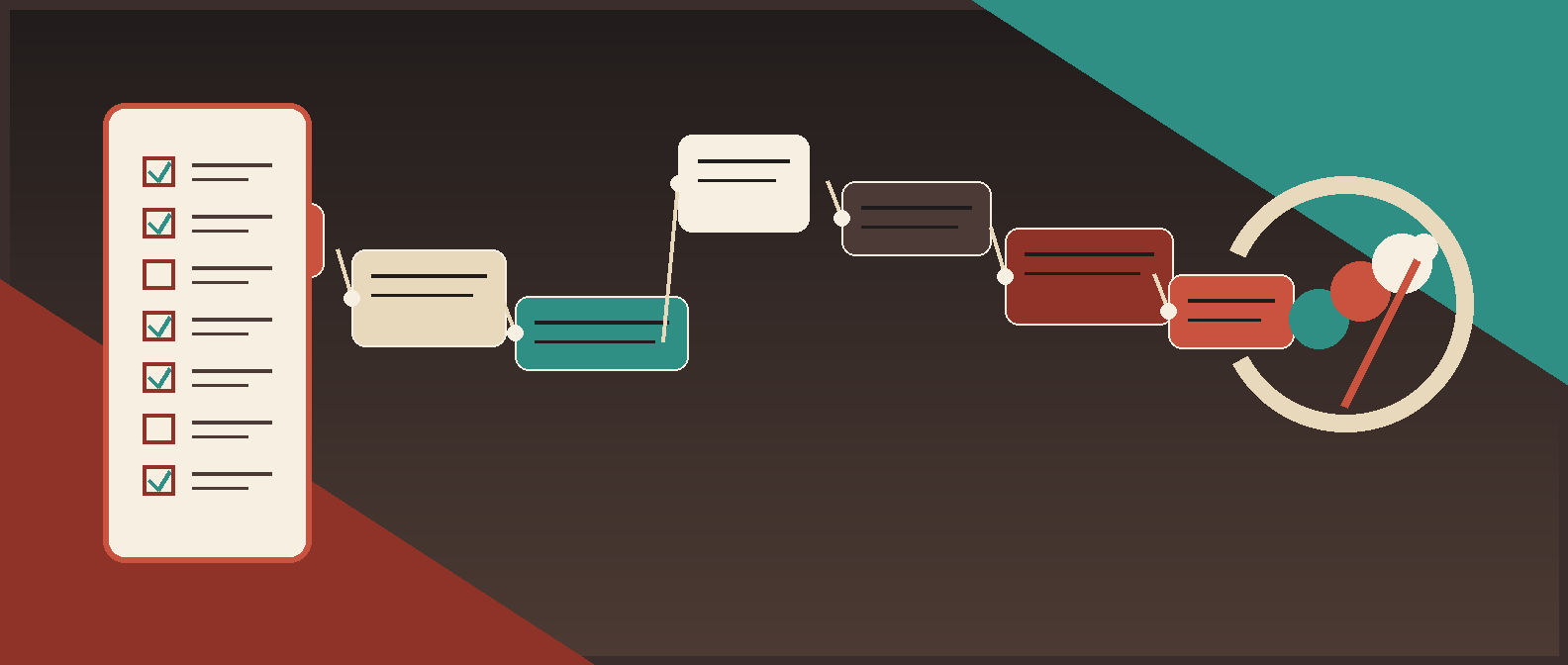
*A controlled invoice exception workflow keeps automation on routing, validation, review queues, and audit trails while finance owns payment-risk decisions.*
The controlled automation pattern
| Layer | What automation should do | What finance should control |
|---|---|---|
| Intake | Capture invoices from email, portal, upload, EDI, or AP tool | Approved intake channels and document retention rules |
| Extraction | Pull vendor, invoice number, dates, totals, PO, currency, and line items | Which fields are required before processing |
| Validation | Check vendor master, duplicate risk, PO match, amount tolerance, tax, and confidence | Business rules, tolerances, and exception triggers |
| Classification | Assign exception type and severity | Approved taxonomy and override rules |
| Routing | Send the exception to AP, procurement, requester, legal, tax, or controller | Ownership model and escalation policy |
| Review | Show source invoice, extracted fields, validation failures, and suggested next action | Approval, rejection, correction, and payment authority |
| Audit | Log field changes, reviewer decisions, timestamps, model output, and system actions | Audit requirements and retention |
| Monitoring | Track exception rate, aging, override rate, and recurring root causes | Go-live gates, risk thresholds, and process changes |
That is the shape. The specific tools can be Microsoft Power Automate, an AP automation platform, an ERP workflow, Zapier, custom middleware, or an AI agent layer. The control design matters more than the logo on the workflow canvas.
1. Define the exception taxonomy before touching automation
If finance does not agree on the exception types, automation will only route confusion faster.
Start with a controlled taxonomy:
| Exception type | Trigger | Default owner | Auto-action allowed? |
|---|---|---|---|
| Missing required field | Vendor, invoice number, amount, currency, date, or source file missing | AP intake | Request correction or return to intake |
| Low extraction confidence | OCR or AI confidence below threshold on critical fields | AP reviewer | Queue for manual verification |
| Vendor not recognized | Vendor is absent from vendor master or fuzzy match is weak | Vendor management or AP lead | None beyond routing |
| Payment detail change | Bank, remittance, payment method, or address changed | Controller or vendor verification owner | No |
| Duplicate invoice risk | Same or near-same vendor, invoice number, amount, or date appears before | AP lead | Hold and route |
| Missing PO | PO required but absent | Requester or procurement | Request PO or route exception |
| PO amount mismatch | Invoice amount exceeds PO or tolerance | Procurement plus AP | Hold and route |
| Receipt mismatch | Goods or services receipt does not match invoice | Receiving, operations, or requester | Hold and route |
| Tax or currency issue | Tax, VAT, GST, entity, or currency is unusual | Finance or tax owner | Hold and route |
| Approval owner missing | Department, cost center, or requester cannot resolve approver | Finance ops | Route to owner-resolution queue |
| Contract or SOW mismatch | Invoice references contract terms, renewal, or milestone ambiguity | Legal ops or business owner | Hold and route |
| High-value exception | Amount exceeds threshold even if other checks pass | Finance leader or executive approver | No |
Keep the taxonomy small enough that reviewers actually use it. A 60-category exception list is just a new place for ambiguity to hide.
2. Build the invoice exception record
Every exception needs a durable record outside email and chat. This can live in Dataverse, SharePoint, Airtable, an AP platform, ERP workflow tables, or a custom database. The point is that each exception has state, owner, evidence, and history.
Required fields:
| Field | Why it matters |
|---|---|
| Internal invoice ID | Stable workflow key |
| Source document link | Lets reviewers inspect the invoice |
| Vendor name and vendor ID | Supports matching and payment controls |
| Invoice number | Supports duplicate detection |
| Amount and currency | Drives thresholds and payment risk |
| Invoice date and due date | Supports aging, accruals, and urgency |
| PO number and receipt status | Supports 2-way or 3-way matching |
| Department, entity, and cost center | Supports routing and accounting |
| Extracted fields and confidence scores | Shows what automation believes |
| Exception type and reason code | Explains why the invoice stopped |
| Current owner and status | Makes the work manageable |
| Human decision and notes | Preserves finance judgment |
| Audit log reference | Supports review, controls, and rollback |
If the current process cannot answer "what is wrong, who owns it, and what happens next?" in one view, it is not ready for production automation.
For a lightweight pilot, the exception record can start in the Google Sheets triage workflow. For production, move toward a system with permissions, audit history, reporting, and integration hooks.
3. Put deterministic checks before AI classification
Do not ask an AI model to enforce rules that a lookup, formula, or database query can enforce more reliably.
Run deterministic checks first:
- Required fields are present.
- Amount is numeric and positive.
- Currency is allowed for the entity and vendor.
- Vendor maps to an approved vendor master record.
- Invoice number is unique for that vendor after normalization.
- PO exists when required.
- PO, receipt, and invoice totals match within tolerance.
- Tax and freight reconcile to the invoice total.
- Payment details match approved vendor records.
- Approver can be resolved from department, cost center, entity, vendor, or requester.
- File link is accessible to the reviewer.
Then use AI where it is useful:
- Summarizing the invoice and exception context.
- Suggesting an exception category from the approved taxonomy.
- Extracting likely owner from messy text.
- Drafting reviewer questions.
- Clustering recurring exception root causes.
- Explaining why an invoice needs review.
The Red Brick Labs rule is simple: deterministic checks make the control decision; AI helps humans move faster through the messy evidence.
4. Set human review triggers by payment risk
Human-in-the-loop is not a vague comfort phrase. It should be a rule table.
| Trigger | Why human review stays required |
|---|---|
| New vendor | Prevents supplier fraud, bad vendor records, and wrong payment setup |
| Changed bank or remittance details | High fraud and payment leakage risk |
| Duplicate or near-duplicate invoice | Prevents duplicate payment |
| PO or receipt mismatch | Prevents overpayment and unauthorized spend |
| High-value invoice | Preserves approval authority |
| Low confidence on critical fields | Prevents bad data from reaching accounting |
| Tax, currency, or entity mismatch | Protects reporting and compliance |
| Contract, SOW, or milestone ambiguity | Requires business context |
| Manual override requested | Needs accountable reviewer decision |
| Integration failure | Prevents silent posting gaps or duplicate retries |
AI can suggest the route. Automation can enforce the hold. Finance owns the release.
This is especially important when evaluating accounts payable OCR software, where extraction quality can look impressive while the exception workflow is still underdesigned. Easy field capture is not the same as controlled payment processing.
5. Design the review screen like a decision packet
Most exception queues fail because they make reviewers reconstruct context.
A good review view shows:
- Original invoice file.
- Extracted fields beside confidence scores.
- Validation failures.
- Vendor master match.
- Duplicate candidates.
- PO and receipt comparison.
- Payment detail comparison.
- Contract or SOW reference, if relevant.
- Suggested exception type and owner.
- Prior reviewer notes.
- Decision buttons.
- Audit history.
The reviewer should not need to open five systems to answer one invoice question. If they do, the automation has moved work around, not reduced it.
Use decision options that preserve auditability:
| Decision | Meaning |
|---|---|
| Approve exception resolution | The reviewer accepts the corrected path and releases the invoice to the next step |
| Reject invoice | The invoice should not proceed |
| Request information | The owner needs more evidence from vendor, requester, procurement, or legal |
| Correct fields | Reviewer updates extracted values with audit logging |
| Escalate | Risk, amount, or ambiguity requires a higher authority |
| Mark duplicate | Invoice is blocked as duplicate or potential duplicate |
Do not let reviewers free-type the entire workflow. Controlled decisions make reporting possible.
6. Keep the accounting handoff boring
The handoff to accounting or ERP should be conservative.
Only sync invoices downstream when:
- Required fields are complete.
- Validation rules pass.
- Exception status is resolved.
- Required approvals are recorded.
- Attachments are linked.
- Audit log is complete.
- Idempotency key exists so retries do not create duplicates.
- The receiving system confirms success.
If you are using webhooks or middleware, the same controls apply. The Zapier webhook invoice approval workflow pattern is useful when events need to move between inboxes, approval tools, AP systems, and accounting platforms. For a broader operating model, see our guide to business process automation solutions. Just do not let the webhook become an unreviewed posting pipe.
7. Monitor exceptions as a control dashboard
A controlled exception workflow should produce better management data than the manual process it replaced.
Track:
- Exception volume by type.
- Exception rate by vendor, entity, department, and invoice source.
- Average cycle time by exception type.
- Aging by owner.
- Reviewer override rate.
- Duplicate risks flagged and confirmed.
- New-vendor and payment-detail-change volume.
- Low-confidence extraction rate.
- PO mismatch rate.
- Integration failure rate.
- Straight-through processing rate for clean invoices.
- Manual touches per invoice.
This is where exception handling becomes process improvement. If missing PO exceptions dominate the queue, fix procurement intake. If one vendor causes low OCR confidence every week, create a vendor-specific extraction rule or request a cleaner invoice format. If approval-owner exceptions are common, clean up the routing matrix.
Use the workflow automation ROI calculator to decide whether the next phase is worth building. Do not automate edge cases just because they are annoying. Automate the patterns that are frequent, costly, risky, or slow.
8. Roll out in phases
Do not start by automating every exception type across every vendor, entity, and approval path. That is how teams build a beautiful flowchart and a nervous controller.
A sane rollout:
- Map the current AP exception workflow.
- Create the exception taxonomy and owner model.
- Pick one high-volume, medium-risk exception class.
- Build the invoice exception record.
- Add deterministic validation checks.
- Add AI-assisted classification or summarization.
- Create the review queue and decision packet.
- Log all actions and overrides.
- Run in shadow mode against real invoices.
- Release to production with finance sign-off.
- Monitor weekly and expand one exception class at a time.
Good first candidates:
- Missing PO routing.
- Low-confidence OCR review.
- Duplicate-risk triage.
- Missing approver resolution.
- Vendor-master mismatch review.
Bad first candidates:
- Changed bank details.
- High-value non-PO invoices.
- Tax edge cases across entities.
- Contract milestone disputes.
- Anything where nobody agrees who owns the decision.
Start where the rules are clear and the downside is limited. Earn the right to automate riskier paths later.
Red Brick Labs POV
The wrong way to automate invoice exceptions is to bolt AI onto a broken AP queue and hope the model becomes the adult in the room.
The right way is workflow-first: map the exception types, define the controls, build the validation layer, give reviewers a clean decision packet, log every action, and integrate only after finance agrees the gates are strong enough.
Red Brick Labs would not start by shopping for another AP platform. We would start by identifying the top exception patterns, proving which ones can be routed safely, and building a controlled automation layer around the tools already in place.
That is the difference between a demo and production finance automation. A demo moves invoices. A production workflow knows when to stop them.
Design your controlled invoice exception workflow: Red Brick Labs can map your invoice intake, exception taxonomy, validation rules, approval matrix, and accounting handoff, then build a controlled automation layer around the systems your finance team already uses.
Invoice exception automation controls checklist
Use this checklist before invoice exceptions move through automation without manual coordination.
Workflow scope
- [ ] Target exception class selected.
- [ ] Current manual process mapped.
- [ ] Intake channels documented.
- [ ] Source of truth for invoice state selected.
- [ ] Accounting or ERP handoff path confirmed.
- [ ] Rollback path defined.
Exception taxonomy
- [ ] Approved exception types defined.
- [ ] Each exception type has an owner.
- [ ] Severity levels defined.
- [ ] Human review triggers documented.
- [ ] Escalation policy agreed.
- [ ] Reviewer override reasons standardized.
Validation gates
- [ ] Required fields checked.
- [ ] Vendor master lookup implemented.
- [ ] Duplicate and near-duplicate checks implemented.
- [ ] PO and receipt matching rules implemented where relevant.
- [ ] Amount, tax, currency, and entity rules implemented.
- [ ] Payment detail changes always route to manual review.
- [ ] Confidence thresholds set by field risk.
Review controls
- [ ] Reviewers can see source invoice, extracted fields, and validation failures.
- [ ] Review decisions are structured, not only free text.
- [ ] Corrections record old value, new value, user, and timestamp.
- [ ] AI suggestions are stored separately from human decisions.
- [ ] Approval authority matrix is enforced.
- [ ] Final payment authority remains with finance controls.
Integration and audit
- [ ] Approved invoices sync with idempotency keys.
- [ ] Failed syncs create visible exceptions.
- [ ] Attachments remain linked to invoice records.
- [ ] Audit logs capture system actions and human decisions.
- [ ] Permissions restrict who can edit rules and release holds.
- [ ] Reporting captures exception volume, aging, overrides, and control failures.
Go-live
- [ ] Shadow run completed on real invoices.
- [ ] Finance reviewed false positives and false negatives.
- [ ] Zero-tolerance risks tested.
- [ ] Monitoring dashboard ready.
- [ ] Named process owner assigned.
- [ ] Go-live sign-off recorded.
Source notes and further reading
- Oracle Fusion Cloud Payables documentation describes invoice matching, holds, and release workflows in enterprise AP systems. The practical lesson: exceptions need explicit hold/release logic, not silent continuation.
- SAP supplier invoice exception guidance reflects the same operating pattern: exceptions need review queues, owner assignment, and resolution paths before posting.
- Microsoft AI Builder invoice processing documentation is useful for teams using Power Automate to extract invoice fields, but extraction is only one part of the controlled workflow.
- Google Document AI human-in-the-loop documentation is a useful reference pattern for routing uncertain document extraction to human review.
- COSO's internal control framework is a good governance backdrop: automation should support control activities, information quality, monitoring, and accountable review.
FAQ
What parts of invoice exception handling should be automated first?
Automate classification, deterministic checks, owner routing, reminders, status updates, and reporting first. Keep finance approval, payment release, new-vendor review, changed bank details, duplicate-risk resolution, and high-value exceptions under human control.
How do you prevent invoice exception automation from creating payment risk?
Use validation gates before posting, require human review for payment-risk triggers, separate AI suggestions from human decisions, enforce approval thresholds, log every correction, and use idempotency keys for accounting syncs.
Is invoice exception handling automation only for large companies?
No. Smaller finance teams can start with a controlled spreadsheet or lightweight workflow. The control principles are the same: one invoice record, defined exception types, owner routing, human review triggers, and an audit trail.
How do you know the workflow is ready for production?
Run it in shadow mode on real invoices. It is ready when known exceptions route correctly, reviewers can resolve work without system-hopping, high-risk cases are held, audit logs are complete, sync failures are visible, and finance signs off on the go-live criteria.