Most teams build human approval into AI workflows too late.
They wire the model, connect the tools, celebrate the demo, and then realize nobody knows which actions need approval, what evidence reviewers need, how long approvals can wait, who owns overrides, or what the audit trail should contain.
That is not a governance footnote. That is the workflow.
Short answer
To build a human approval layer for AI workflows, classify every AI action by risk, define confidence thresholds, pause high-risk or uncertain actions before execution, show reviewers the source evidence and recommended action, require approve/edit/reject decisions, resume the workflow after approval, and log the full decision trail. The goal is not to make humans click every time. The goal is to keep people in control of risky actions while letting low-risk automation keep moving.
Start with the workflow map, not the model. If the approval path is still fuzzy, use the AI Workflow Automation Requirements Template first. If you are still choosing which workflow deserves AI, score it with the AI Automation Readiness Scorecard.
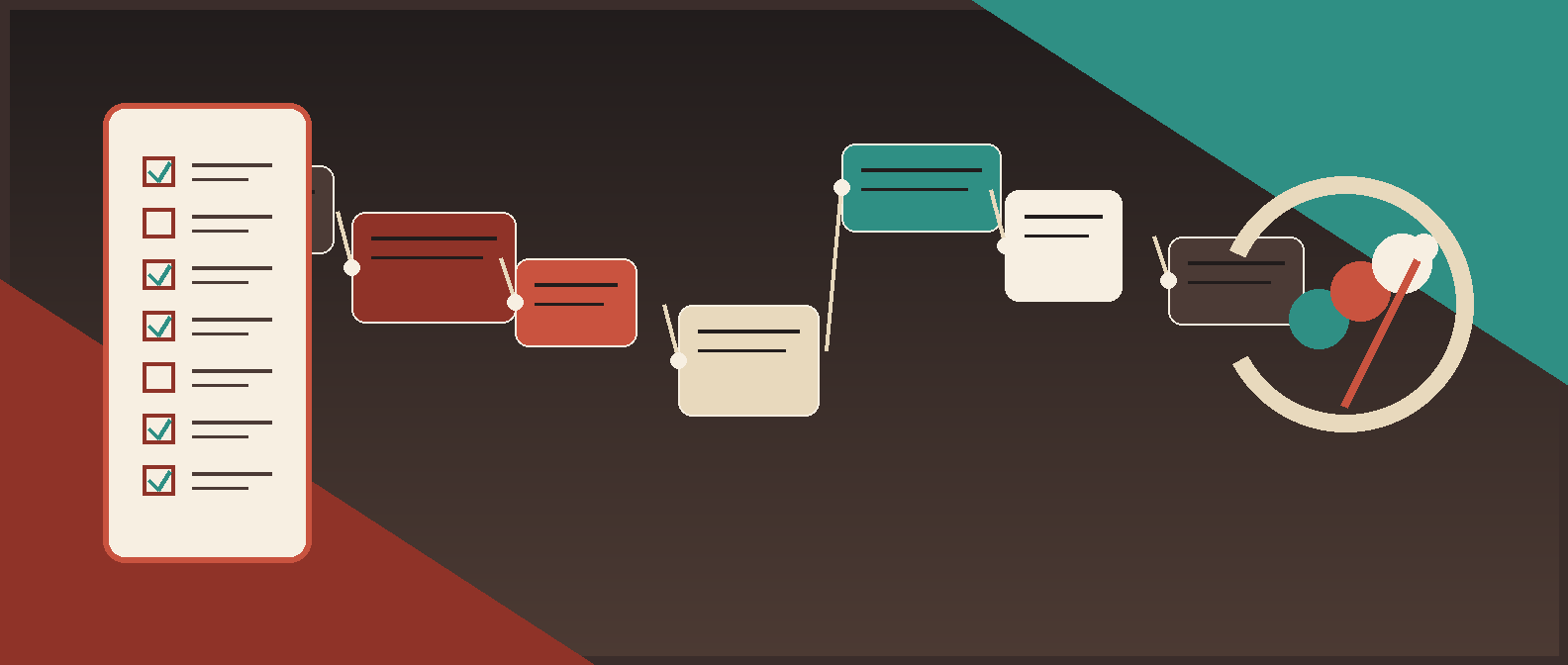
What a human approval layer actually does
A human approval layer is the control plane between AI recommendation and business action.
It answers seven questions:
| Question | Approval layer output |
|---|---|
| What is the AI trying to do? | Named action and workflow step |
| How risky is the action? | Risk tier based on money, customer impact, legal exposure, data sensitivity, reversibility, and policy sensitivity |
| How confident is the system? | Confidence score, validation result, or uncertainty flag |
| Does a person need to review it? | Auto-run, sampled review, required approval, or blocked |
| Who should review it? | Role-based reviewer, fallback reviewer, and escalation path |
| What does the reviewer need? | Evidence packet with source documents, extracted fields, reasoning summary, policy checks, and recommended action |
| What must be recorded? | Decision, edits, rejection reason, timestamp, reviewer, policy version, downstream action, and rollback event |
The approval layer is not the same as a Slack button. Slack, Teams, email, a ticket queue, or an internal admin screen can be the interface. The layer is the policy, routing, state, and audit logic underneath.
That distinction matters. A button without context creates approval theater. A proper approval layer gives the reviewer enough evidence to disagree with the AI and enough structure for the business to reconstruct what happened later.
Where humans should stay in the loop
Do not ask, "Can AI do this?" Ask, "What happens if AI does this wrong?"
Use human approval when an AI workflow can:
- send customer-facing or employee-facing messages;
- update CRM, ERP, ATS, HRIS, accounting, billing, contract, or compliance records;
- approve money movement, discounts, refunds, credits, purchase orders, invoices, offers, or vendor setup;
- reject a candidate, customer, claim, document, application, or escalation;
- delete, export, overwrite, or expose sensitive data;
- interpret legal, compliance, security, or policy exceptions;
- take an irreversible or hard-to-rollback action;
- act with low confidence or conflicting evidence.
Use automation without approval when the action is low-risk, reversible, validated, and measurable:
- classify a request for routing;
- summarize documents with source links;
- extract fields into a draft record;
- flag missing information;
- prepare a draft email;
- create an internal task;
- enrich a record without overwriting the source of truth;
- run a check and report the result.
The production pattern is usually mixed: AI handles intake, extraction, summarization, validation, routing, reminders, and draft work; humans approve the judgment-heavy or high-consequence step. Red Brick Labs uses that pattern because it gets the ROI without pretending business judgment has vanished.
For broader workflow architecture, pair this guide with AI Agent Workflows, AI Agent Frameworks, and AI Automation for Business.
The implementation checklist
Use this checklist before AI touches a live business system.
| Layer | What to define | Production output |
|---|---|---|
| Workflow boundary | Trigger, start state, end state, systems, owner | One scoped workflow lane |
| AI action catalog | What AI can read, draft, recommend, update, send, trigger, or delete | Permission matrix |
| Risk tiers | Low, medium, high, blocked | Approval policy |
| Confidence thresholds | Auto-run, sample, approve, reject/block | Routing rules |
| Evidence packet | Source links, extracted fields, checks, recommendation, uncertainty | Reviewer screen or message |
| Reviewer routing | Role, backup, SLA, escalation, conflict rules | Approval queue |
| Decision options | Approve, edit, reject, request info, escalate | Structured decision schema |
| Pause/resume state | Stored workflow state while waiting for humans | Durable approval checkpoint |
| Audit log | Inputs, recommendation, evidence, decision, action, policy version | Reviewable system record |
| Monitoring | Accuracy, override rate, approval time, failure modes, ROI | Operating dashboard |
If a vendor, platform, or internal build cannot support these basics, do not give the AI workflow write access to important systems. Start in draft or shadow mode until the control layer exists.
Step 1: map the workflow before adding approval gates
Approval gates only work when the workflow is legible.
Before implementation, document:
- what triggers the workflow;
- what input data is required;
- which system is the source of truth;
- what the AI is expected to produce;
- what the human is deciding;
- which action happens after approval;
- which exceptions happen often;
- which actions are reversible;
- which policies or thresholds change the route;
- what evidence the approver needs.
Example: "AI reviews invoices" is not buildable. "AI reads new invoices from the AP inbox, extracts vendor, amount, PO, tax, due date, and exception reason, then routes invoice exceptions above $5,000 to the AP manager before the ERP record is updated" is buildable.
The second version contains a trigger, data fields, risk threshold, reviewer, and downstream system. That is enough to design controls.
Step 2: create an AI action permission matrix
Approval layers fail when every action is treated the same.
Create a permission matrix for the workflow:
| AI action | Example | Default approval rule |
|---|---|---|
| Read | Read invoice, ticket, contract, CRM record, or email | Allowed if access is authorized and logged |
| Extract | Pull due date, amount, clause, customer name, candidate skills | Auto-run if confidence is high; route low confidence |
| Classify | Categorize request type, risk, priority, or exception | Auto-run with sampled QA for low-risk classes |
| Summarize | Summarize source evidence for reviewer | Allowed with source links |
| Draft | Draft email, ticket note, record update, approval memo | Human approval before external send or record write |
| Recommend | Recommend approve/reject/escalate | Human approval for high-risk decisions |
| Update | Change CRM, ERP, ATS, CLM, billing, or HRIS record | Approval required unless low-risk and reversible |
| Trigger | Send message, create order, issue refund, approve payment | Approval required for customer, money, legal, or employee impact |
| Delete/export | Delete data or export sensitive records | Block or require elevated approval |
This matrix becomes the operating contract. It tells builders what tool calls are allowed, reviewers what they own, and auditors what the system was designed to prevent.
Step 3: define risk tiers before confidence thresholds
Confidence without risk is a trap.
A model can be highly confident about an action that is still too sensitive to automate. An invoice amount may be easy to extract, but approving payment is a different risk category. A contract renewal date may be obvious, but triggering termination notice is not.
Use four practical tiers:
| Tier | Definition | Approval rule |
|---|---|---|
| Low risk | Internal, reversible, non-sensitive, no customer/money/legal impact | Auto-run after validation; sample for QA |
| Medium risk | Operational impact, minor customer impact, or moderate rework if wrong | Auto-run only above threshold; route exceptions |
| High risk | Money, legal, compliance, employee, customer-facing, or hard-to-rollback action | Human approval required |
| Blocked | Prohibited by policy, missing authorization, unsafe data exposure, or destructive action | Do not execute; escalate |
Risk tiering is where operators and technical owners need to work together. Operations knows what breaks the business. Technical owners know what can be controlled, logged, rolled back, or abused.
Step 4: set confidence thresholds that route work, not vibes
Confidence thresholds should decide what happens next.
Use thresholds like this:
| Route | When to use | Example |
|---|---|---|
| Auto-run | Low-risk action, high confidence, validation passed | Classify routine support ticket |
| Sampled review | Low-risk or medium-risk action where quality needs monitoring | Review 10% of auto-extracted invoice fields |
| Required approval | High-risk action, medium confidence, policy exception, or external impact | Send customer credit note, approve invoice exception |
| Request more information | Missing fields, conflicting records, unreadable document, ambiguous instruction | Ask requester for missing PO or contract attachment |
| Escalate | High-risk, low confidence, policy conflict, suspicious input, or reviewer disagreement | Legal review for non-standard indemnity clause |
| Block | Forbidden action or unsafe request | Delete production records without authorization |
Do not overfit thresholds on day one. Start conservative, collect approval outcomes, and tune the routing rules after real usage. The useful metrics are override rate, rejection reason, exception type, reviewer time, and downstream error rate.
Step 5: design the evidence packet
The reviewer should never approve a naked AI recommendation.
Every approval request should include:
- workflow name and business context;
- requested action;
- AI recommendation;
- confidence or uncertainty signal;
- risk tier;
- source documents, records, messages, or links;
- extracted fields or cited text;
- policy checks passed and failed;
- missing or conflicting data;
- downstream action after approval;
- rollback or correction path;
- required decision options.
Bad approval request:
AI recommends approving this vendor.
Good approval request:
AI recommends approving vendor setup for Acme Logistics. Evidence: W-9 attached, insurance certificate valid through Dec. 31, 2026, payment terms match procurement policy, bank details match onboarding form, no sanctions match found. Exception: contract liability cap is missing. Recommended route: approve finance setup, escalate contract exception to legal before purchase order release.
The good version is reviewable. The human can inspect evidence, approve part of the workflow, escalate the exception, and leave a structured reason.
Step 6: build the approval queue into the existing stack
Approval layers should meet the business where the work already happens.
Possible interfaces:
| Interface | Best for | Watch out for |
|---|---|---|
| Slack or Teams | Fast operational approvals, reminders, lightweight routing | Do not make chat the only audit trail |
| External reviewers or low-frequency approvals | Easy to lose structure and state | |
| Ticket system | Support, RevOps, IT, compliance, queue-based work | Needs clean fields and status mapping |
| CRM/ERP/ATS/CLM workflow | Records that already live in a system of truth | Vendor workflow limits may constrain UX |
| Internal admin screen | High-volume or sensitive review workflows | Requires build effort but gives strongest control |
| Spreadsheet or Airtable pilot | Early pilot and low-risk manual review | Should not become the permanent control plane for high-risk work |
Red Brick Labs usually starts with the existing operating surface, then adds a thin approval layer around it: structured fields, decision buttons, reviewer routing, state persistence, and audit logging. That avoids a platform migration and keeps adoption sane.
For example:
- finance approvals can start in AP inbox, Slack, and ERP;
- legal review can start in CLM, Drive, and a reviewer queue;
- RevOps approvals can start in CRM and Slack;
- recruiting approvals can start in ATS and email;
- customer support approvals can start in Zendesk, Intercom, or Linear.
The tool is not the strategy. The strategy is making the approval path structured enough to measure and safe enough to run.
Step 7: preserve workflow state while waiting for approval
Human approval is asynchronous. People are in meetings, asleep, offline, or annoyed for entirely reasonable reasons.
The workflow must be able to pause without losing context.
Store:
- workflow run ID;
- current step;
- pending approval item;
- original input;
- AI output and evidence;
- tool call or downstream action waiting to run;
- reviewer assignment;
- due time and escalation path;
- approval policy version;
- retry and expiration rules.
Modern agent frameworks increasingly expose this directly. OpenAI's Agents SDK documents a human-in-the-loop flow where tool calls can require approval, execution pauses, run state can be serialized, and the workflow resumes after approval or rejection. Microsoft Agent Framework similarly describes approval requests that the caller must handle and return before the agent continues. Cloudflare's Agents docs describe durable workflow approval patterns for waiting on human approval before proceeding.
The implementation detail will vary. The principle should not: never leave a production workflow hanging in model memory or a long-running process with no durable state.
Step 8: require structured decisions
Approvals should create data, not just motion.
Give reviewers structured options:
- approve as recommended;
- approve with edits;
- reject;
- request more information;
- escalate;
- mark duplicate;
- mark policy exception;
- mark AI output incorrect;
- override with reason.
Require a reason for rejection, escalation, override, and policy exception. Keep it lightweight, but make it structured enough to improve the system.
Useful reason codes:
| Reason code | What it tells you |
|---|---|
| Missing data | Intake form, document, or record quality needs fixing |
| Wrong extraction | Model, OCR, parser, or field mapping needs work |
| Wrong policy | Approval rules or playbook logic is wrong |
| Low confidence acceptable | Threshold may be too conservative |
| High confidence wrong | Threshold may be too aggressive |
| Reviewer conflict | Ownership or policy is unclear |
| System integration issue | Downstream write, permission, or sync failed |
These reason codes become your improvement backlog. Without them, you just know humans clicked things. Riveting, but not useful.
Step 9: log the audit trail
If the workflow matters enough to require approval, it matters enough to log.
Minimum audit fields:
| Field | Why it matters |
|---|---|
| Workflow run ID | Reconstruct the exact process |
| Input source | Know what the system saw |
| Source record IDs | Connect to CRM, ERP, CLM, ATS, HRIS, ticket, or document system |
| AI model or workflow version | Understand which version made the recommendation |
| Prompt or policy version | Debug changed behavior |
| Recommendation | See what the AI proposed |
| Confidence and risk tier | Explain routing |
| Evidence shown | Prove what the reviewer had available |
| Reviewer | Accountability and permissions |
| Decision | Approve, edit, reject, escalate, or request info |
| Decision reason | Improve rules and evaluation |
| Downstream action | What changed after approval |
| Timestamp | SLA, compliance, and incident review |
| Rollback or correction | Operational recovery |
Auditability is not only for compliance. It is how you debug production AI. If a customer-facing email was sent, an invoice was approved, a candidate was rejected, or a contract field was updated, you need to know why.
Step 10: measure ROI without dropping controls
Human approval is not free. It adds review time. That is fine if it removes more manual work than it creates.
Track:
- approvals per week;
- average approval time;
- percent auto-run vs human-reviewed;
- rejection and edit rate;
- low-confidence rate;
- override rate;
- sampled QA failure rate;
- downstream error rate;
- cycle time before and after;
- human minutes saved per item;
- rework avoided;
- SLA improvement;
- risk events caught before execution.
The useful ROI question is not "did humans stay in the loop?" It is "did we remove manual work around the decision while preserving control of the decision itself?"
For the business case, use the Workflow Automation ROI Calculator for Operations Teams. For implementation scoping, use the AI Workflow Automation Requirements Template.
Example: invoice exception approval
A finance team wants AI to review inbound invoices and route exceptions.
The bad version:
AI reads invoices and approves them if they look correct.
No. Absolutely not. That is how finance automation becomes a cleanup project with screenshots.
The production version:
- Invoice arrives in AP inbox.
- AI extracts vendor, amount, PO, tax, due date, currency, bank details, and exception reason.
- System validates against vendor master, PO, duplicate invoice history, and approval policy.
- Low-risk, high-confidence invoices are marked ready for AP review or sampled QA, depending on policy.
- Exceptions are routed by risk:
- missing PO -> requester;
- amount mismatch under tolerance -> AP reviewer;
- amount mismatch over tolerance -> finance manager;
- bank detail change -> elevated approval;
- duplicate risk -> blocked until reviewed.
- Reviewer sees evidence: invoice image, extracted fields, PO match, vendor record, duplicate check, AI recommendation, and confidence.
- Reviewer approves, edits, rejects, or escalates.
- Approved output syncs to ERP or creates a ready-to-post record.
- Audit log stores the recommendation, evidence, decision, and downstream action.
- Metrics track cycle time, exception volume, approval time, and rework.
That is a human approval layer. The AI does the repetitive work. Finance keeps control of payment risk.
Example: contract clause approval
A legal ops team wants AI to extract contract clauses and flag risky language.
The approval layer should:
- extract clauses with source citations;
- classify each clause against the playbook;
- auto-accept only low-risk metadata after QA rules pass;
- route missing, unusual, prohibited, or low-confidence clauses to legal review;
- show source text, suggested extracted value, playbook rule, and downstream field;
- require legal to accept, edit, reject, or escalate;
- update the CLM only after approval;
- log reviewer, clause version, policy version, and approved field value.
This is the same pattern as invoice approval, but with a different risk model. The reusable asset is the approval layer: risk tiering, evidence, reviewer decision, durable state, and audit trail.
Red Brick Labs POV: approval layers are production infrastructure
Human approval should not be a last-minute governance sticker.
For production AI workflows, the approval layer is infrastructure. It defines what the system can do, where it pauses, who owns judgment, what evidence is required, how state survives, how actions are audited, and how ROI is measured.
The Red Brick Labs implementation bias is straightforward:
- Start with one painful workflow lane.
- Keep AI away from irreversible actions until controls exist.
- Use confidence thresholds and risk tiers together.
- Put reviewers inside the existing operating stack.
- Log decisions like you expect to debug them later.
- Measure approval time, override rate, error reduction, and hours saved.
- Expand automation only after the review data proves the controls are working.
The winning version is not "fully autonomous." The winning version is a production workflow that saves time, reduces rework, integrates with the systems the team already uses, and gives the business a clean record of who approved what and why.
CTA: design the approval layer before AI goes live
If your AI workflow can touch money, customers, employees, contracts, records, or regulated data, do not ship it with a vague "human-in-the-loop" promise.
Red Brick Labs can help your team map the workflow, define confidence thresholds, design approval queues, integrate with your existing stack, build the audit trail, and measure whether the automation is saving real operating time.
Design the approval layer before AI goes live and turn the implementation checklist into a production workflow your team can actually own.
Design the approval layer before AI goes live: Red Brick Labs helps operators design human approval layers, confidence thresholds, reviewer queues, audit trails, and existing-stack integrations so AI workflows can reach production without losing control.
Source notes
Current public sources reviewed on May 21, 2026:
- NIST, Artificial Intelligence Risk Management Framework 1.0: governance framing for mapping, measuring, managing, and documenting AI risk.
- NIST AI Resource Center, Appendix C: AI Risk Management and Human-AI Interaction: supports the article's emphasis on clearly defined human roles, responsibilities, oversight, and human-AI configurations.
- OpenAI Agents SDK, Human-in-the-loop: current implementation reference for approval-gated tool calls, interruptions, serialized run state, approval/rejection, and resuming agent runs.
- Microsoft Learn, Using function tools with human in the loop approvals: current implementation reference for function-call approvals and handling approval requests in a loop until calls are approved or rejected.
- Cloudflare Agents docs, Human-in-the-loop patterns: current reference for workflow approvals, durable waiting, compliance, safety, quality review, and approval use cases such as payments, publishing, data operations, AI tool execution, and access control.
- Anthropic, Building Effective AI Agents: supports the article's preference for simple, composable workflow patterns and for agents returning to humans for information or judgment.
- Microsoft Azure, AI shared responsibility model: supports the article's emphasis on identity/access controls, monitoring, data protection, governance, administrative controls, and user accountability for AI-enabled applications.
Editorial synthesis: vendor and framework docs increasingly expose human approval as a first-class agent/workflow pattern, but most operator-facing guidance still under-specifies the business layer: risk tiers, reviewer evidence, structured decision reasons, audit logs, existing-stack integration, and ROI measurement. This article fills that implementation gap for Red Brick Labs buyers.