Candidate screening is one of the highest-leverage recruiting workflows to automate. It is also one of the easiest to screw up.
The bad version ranks applicants in a black box, rejects people too early, hides the evidence, and leaves the employer with a compliance problem wearing an AI badge. The good version gives recruiters a structured evidence packet, routes uncertainty to a human, keeps selection criteria tied to the job, writes clean notes back to the ATS, and measures whether the process is getting faster and fairer.
Short answer
To automate candidate screening with human review, start with documented job-related criteria, connect the ATS and application data, use AI to extract evidence and summarize fit, route candidates by confidence and risk, require recruiter review before shortlist or rejection decisions, log the decision trail, and run weekly QA for errors, overrides, and adverse-impact patterns.
Red Brick Labs' POV is blunt: automate the admin drag, not the accountability. Let AI prepare the screening work. Keep humans responsible for judgment, exceptions, candidate communications, and final movement through the hiring funnel.
Use this guide with Mastering Automated Resume Screening Software, The 12 Best AI Tools for Talent Acquisition in 2026, Best AI Recruiting Automation Consultants for Growth Teams, The 12 Best AI Tools for Recruiting to Watch in 2026, How to Build a Human Approval Layer for AI Workflows, and the AI Workflow Automation Requirements Template for Operators.
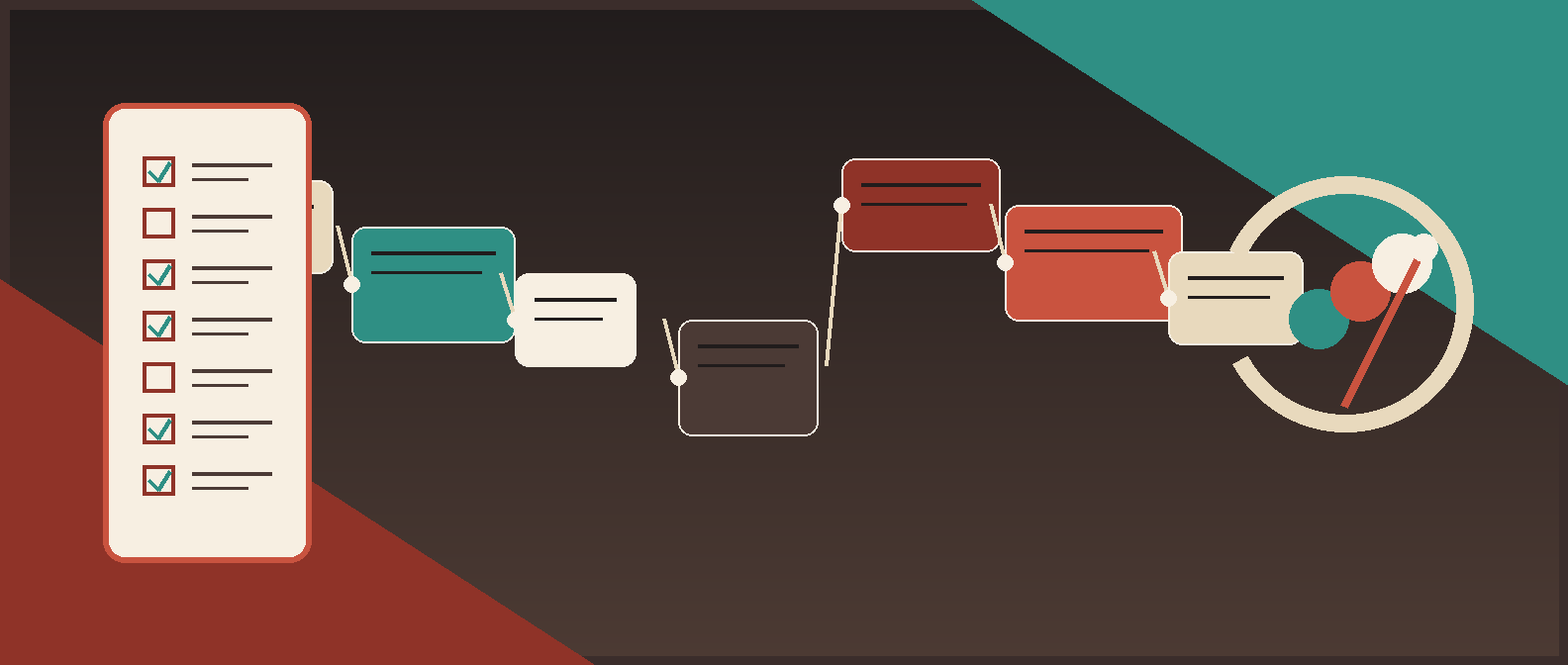
What candidate screening automation should actually do
Candidate screening automation should not decide who deserves a job. That is too broad, too consequential, and too vague to be a good production requirement.
It should do narrower work:
| Screening task | Good AI role | Human role |
|---|---|---|
| Intake cleanup | Normalize job requirements and application fields | Approve the screening rubric |
| Resume parsing | Extract work history, skills, certifications, location, authorization, and constraints | Confirm ambiguous or missing details |
| Criteria matching | Cite evidence against required and preferred criteria | Decide whether evidence is sufficient |
| Knock-out checks | Flag objective requirements such as certification, work authorization, shift availability, or location | Review exceptions and accommodation paths |
| Candidate summary | Create a short evidence packet for recruiter review | Approve, edit, or reject the summary |
| Shortlist prep | Suggest next-step route with confidence and rationale | Advance, hold, request info, or reject |
| Hiring-manager handoff | Prepare a structured candidate packet | Decide interview slate |
| ATS update | Draft tags, notes, stage movement, and disposition reasons | Approve sensitive writes and final decisions |
That distinction matters. AI-assisted screening is useful when it gives recruiters better evidence faster. It becomes dangerous when the organization treats a model score as a hiring decision.
Step 1: choose one hiring lane
Do not automate screening across the whole company first. Pick one hiring lane with volume, repeatable criteria, and a clear owner.
Good first lanes:
- inbound screening for customer success roles;
- sales development representative applicant triage;
- warehouse, field, or hourly role qualification checks;
- candidate rediscovery for a specific role family;
- engineering applicant evidence summaries for recruiter review;
- internship or early-career application intake where volume is high and criteria are explicit.
Avoid first pilots where the role is highly subjective, senior, confidential, politically sensitive, or poorly defined. AI will not rescue mushy hiring criteria. It will scale them, which is worse.
Before build, write the pilot promise:
For every new customer success applicant, the system will extract evidence against the approved screening rubric, flag missing or uncertain requirements, create a recruiter review packet, and write approved notes back to the ATS after human review.
That is buildable. "Use AI to find the best candidates" is not.
Step 2: define job-related screening criteria
The screening rubric is the control surface. It should be written before the model prompt, the ATS automation, or the vendor configuration.
For each role family, define:
- required criteria;
- preferred criteria;
- disallowed criteria;
- evidence accepted for each criterion;
- acceptable substitutes;
- objective knock-out requirements;
- accommodation or alternate review path;
- reviewer role;
- disposition reasons;
- change owner and version history.
Example:
| Criterion | Evidence to look for | AI output | Human review rule |
|---|---|---|---|
| Customer support experience | Resume bullet, title, application answer, LinkedIn history | Evidence found or missing, with citation | Recruiter decides whether adjacent experience counts |
| B2B SaaS exposure | Company context, product support, CRM/support tools | Evidence summary and uncertainty flag | Recruiter reviews uncertainty |
| Weekend availability | Application answer | Qualified, not qualified, or missing | Request clarification before rejection |
| Work authorization | Application answer | Status summary | Human handles exceptions and policy-sensitive cases |
| Communication quality | Written application answer | Summary only, no personality score | Recruiter reviews directly |
Keep the rubric tied to the job. Do not let the system infer "culture fit," age, personality, enthusiasm, commute tolerance, school prestige, gaps in work history, or proxy variables that were never approved.
If the team cannot agree on criteria, pause. The automation is not ready.
Step 3: map the data sources and ATS writes
Candidate screening automation usually touches more systems than people expect:
- ATS candidate profile;
- resume or CV;
- application answers;
- screening questions;
- job description;
- recruiter intake notes;
- hiring-manager scorecard;
- LinkedIn or portfolio links where permitted;
- email or scheduling status;
- assessment results where used;
- HRIS or offer process later in the funnel.
Decide which system is the source of truth. Usually that is the ATS for candidate status, stage, notes, and disposition.
Then define exactly what AI can write:
| Write target | Safe first version | Human review needed? |
|---|---|---|
| Internal candidate summary | Draft evidence summary | Yes before relied on for stage movement |
| ATS tags | Draft suggested tags | Yes for selection-related tags |
| Stage movement | Suggested route | Yes |
| Disposition reason | Draft reason from approved list | Yes before rejection |
| Hiring-manager packet | Draft summary and evidence table | Recruiter approves |
| Candidate email | Draft follow-up | Human approves sensitive or adverse messages |
Red Brick Labs typically starts with draft writes and reviewer approval. Once the team has quality data, override patterns, and QA results, some low-risk writes can become automatic.
Step 4: build candidate evidence packets
The recruiter should not receive a model score with a confident little paragraph. They should receive evidence.
A useful candidate evidence packet includes:
- candidate name and ATS link;
- role and job criteria version;
- source of candidate;
- required criteria table;
- preferred criteria table;
- supporting evidence snippets or field references;
- missing information;
- uncertainty flags;
- potential duplicate candidate record;
- suggested next step;
- confidence or review priority;
- recruiter decision buttons.
Example packet:
| Field | Example |
|---|---|
| Suggested route | Recruiter review: likely qualified |
| Required criteria | 4 of 5 supported by application or resume evidence |
| Missing item | Weekend availability not answered |
| Evidence | "3 years customer support at B2B payments company"; Zendesk and Salesforce listed |
| Risk flag | Work authorization answer requires manual review |
| Suggested action | Request missing availability answer before hiring-manager packet |
| Reviewer options | Advance, hold, request info, reject with approved reason, escalate |
The packet should make disagreement easy. If the recruiter cannot see why the system suggested a route, the workflow is not ready for production.
Step 5: route by risk and confidence
Do not route every applicant the same way. Use risk and confidence.
| Route | When to use it | Human action |
|---|---|---|
| Auto-organize | Low-risk cleanup like duplicate detection, missing field flags, and summary drafts | Review later through QA |
| Recruiter review | Most candidates where the system has usable evidence | Advance, hold, reject, request info, or edit |
| Exception review | Missing data, conflicting evidence, edge-case requirements, accommodation request, or low confidence | Human investigates |
| Hiring-manager review | Recruiter-approved shortlist or borderline candidates needing role-owner judgment | Interview, hold, or pass |
| Compliance review | Potential adverse-impact pattern, sensitive criteria, or policy ambiguity | People/legal owner reviews |
| Block automation | The proposed action relies on prohibited, irrelevant, inaccessible, or unsafe data | Do not execute |
The first production version should put more candidates in human review than feels efficient. That is not cowardice. It is how you collect outcome data without outsourcing selection decisions before the system has earned trust.
Step 6: keep humans in the right places
Human review is not "a recruiter glances at whatever AI wrote." It needs a decision model.
Use structured reviewer actions:
| Reviewer action | Meaning |
|---|---|
| Advance | Candidate meets criteria well enough for the next step |
| Hold | Candidate may fit, but more evidence or comparison is needed |
| Request info | Candidate record is missing a required answer or clarification |
| Reject | Candidate does not meet approved job-related criteria |
| Escalate | Recruiter needs hiring-manager, people, legal, or accommodation review |
| Override AI | Human disagrees with the recommendation and records why |
Capture reason codes:
- missing required qualification;
- insufficient role-relevant experience;
- scheduling or availability mismatch;
- compensation range mismatch;
- location or work authorization issue;
- candidate withdrew;
- duplicate or stale record;
- better fit for another role;
- AI summary wrong;
- AI missed relevant evidence;
- criteria unclear.
Reason codes are not bureaucracy. They are how you find broken prompts, biased criteria, bad ATS data, and unclear hiring-manager requirements.
Step 7: avoid automatic rejection until the controls exist
Automatic rejection is the seductive feature. It is also the one most likely to create legal, candidate-experience, and brand risk.
Before any automated or semi-automated rejection, require:
- approved job-related criteria;
- candidate notice where required;
- accommodation and alternate review process;
- human review path;
- clear disposition reason;
- evidence retained in the ATS;
- adverse-impact review;
- QA sample of rejected candidates;
- appeal or reconsideration path where legally required or operationally appropriate;
- owner for criteria changes.
NYC's AEDT guidance is a useful warning flare: covered automated employment decision tools require a recent bias audit, public audit information, and candidate or employee notices. Colorado's 2026 automated decision-making law also points toward notice, documentation, record retention, and meaningful human review for consequential decisions, including employment. The EU AI Act treats CV-sorting software for recruitment as a high-risk example and lists obligations such as risk mitigation, data quality, logging, documentation, information to deployers, and human oversight.
The legal specifics vary by jurisdiction and this is not legal advice. The operating lesson is stable: if AI materially influences who gets advanced or rejected, treat the workflow like a controlled selection procedure.
Step 8: design for accessibility and accommodations
Candidate screening automation can accidentally screen out qualified people if the process assumes every candidate interacts with the system the same way.
Build the workflow so recruiters can handle:
- inaccessible application flows;
- missing or non-standard resumes;
- disability accommodation requests;
- alternative evidence of qualifications;
- gaps or non-linear career paths;
- credentials from different countries or industries;
- candidates who cannot complete an automated assessment in the default format.
EEOC AI resources and disability-related guidance are a reminder that AI and software-based selection tools can raise ADA issues when they disadvantage applicants with disabilities or fail to provide reasonable accommodation paths.
Do not bury accommodation handling in a footnote. Put it in the workflow.
Step 9: log the decision trail
If the screening workflow cannot explain what happened, it is not production-ready.
Log:
| Log item | Why it matters |
|---|---|
| Job criteria version | Shows what the candidate was screened against |
| Candidate input sources | Shows which resume, answers, and notes were used |
| AI output | Preserves summary, evidence table, recommendation, and uncertainty |
| Reviewer decision | Shows who advanced, held, rejected, or escalated |
| Reviewer edits | Catches AI errors and training gaps |
| Disposition reason | Supports consistent reporting and candidate handling |
| ATS write | Connects the automation to the system of record |
| Override reason | Reveals model or rubric weaknesses |
| Notice/accommodation status | Supports compliance and candidate experience |
| QA result | Shows ongoing monitoring |
NIST's AI Risk Management Framework is use-case agnostic, but the point fits candidate screening: organizations need practical, operational risk management around the systems they design, deploy, and use. In recruiting, that means traceability, monitoring, role ownership, and controls matched to the consequence of the decision.
Step 10: measure workflow ROI and quality together
Do not measure only recruiter hours saved. That creates perverse incentives.
Measure:
| Metric | What it tells you |
|---|---|
| Time to first review | Whether applicants are getting looked at faster |
| Recruiter minutes per screened candidate | Efficiency gain |
| Candidates reviewed per recruiter per week | Throughput |
| Hiring-manager response time | Whether handoffs improved |
| Shortlist acceptance rate | Whether packets are useful |
| Interview conversion | Whether screening quality improved |
| AI summary edit rate | Quality of evidence packets |
| Override rate | Model or rubric reliability |
| Rejection reason distribution | Criteria consistency and candidate mix |
| Candidate response time | Candidate experience |
| Adverse-impact review results | Fairness monitoring |
Red Brick Labs would baseline the old process first: applicant volume, manual screen time, time to first response, shortlist quality, candidate drop-off, and recruiter rework. Then the pilot has something real to beat.
The implementation checklist
Use this before the workflow goes live.
| Area | Decision |
|---|---|
| Hiring lane | Which role family or requisition type is in scope? |
| Owner | Who owns the screening rubric, workflow, QA, and ATS changes? |
| Criteria | Which required and preferred criteria are approved and job-related? |
| Data | Which ATS fields, resumes, answers, and notes can AI read? |
| Exclusions | Which data must not be used? |
| AI output | Summary, evidence table, missing info, uncertainty, suggested route |
| Human review | Which decisions require recruiter, hiring-manager, people, or legal review? |
| Candidate notice | Where notices are required, how are they delivered and recorded? |
| Accommodation path | How can candidates receive alternate review or support? |
| ATS writes | What can be drafted, approved, or automatically written? |
| Audit log | What gets stored for every recommendation and decision? |
| QA | What sample is reviewed weekly, and who reviews it? |
| Adverse-impact review | What data is reviewed, how often, and by whom? |
| Metrics | Which ROI and quality metrics decide whether the pilot expands? |
This checklist is the backlink asset for the article. Package it as a one-page "Candidate Screening Human Review Checklist" for recruiting ops, people teams, founders, and ATS implementation partners.
Common mistakes
The common failure pattern is obvious once you have seen it: the company buys an AI screening tool, points it at a noisy ATS, lets it rank candidates against vague criteria, and then wonders why recruiters do not trust the output.
Other mistakes:
- automating before role criteria are documented;
- using "culture fit" or personality proxies;
- hiding source evidence from reviewers;
- letting AI reject candidates without a human path;
- writing unreviewed notes into the ATS;
- skipping accommodation handling;
- ignoring jurisdiction-specific notice or audit rules;
- measuring speed without measuring quality;
- failing to review rejected candidates;
- having no owner for rubric changes.
If the workflow cannot survive a candidate, recruiter, hiring manager, or regulator asking "why did this happen?", it is not ready.
Red Brick Labs approach
Red Brick Labs builds candidate screening automation as a production recruiting workflow:
- Map the hiring lane and ATS data.
- Define job-related screening criteria.
- Build candidate evidence packets.
- Add human review gates, reason codes, and exception routes.
- Integrate approved outputs with the ATS.
- Monitor quality, speed, override patterns, and adverse-impact signals.
- Train recruiters and hiring managers to own the workflow.
The first build should usually be boring in the best possible way: one role family, one ATS, one rubric, one review queue, one dashboard, one clear ROI baseline.
That is how you get leverage without turning hiring into a black-box lottery.
CTA: build the screening workflow before buying another AI tool
If your recruiting team is buried in applicant review, candidate rediscovery, ATS cleanup, hiring-manager packets, or manual screening notes, start with the workflow.
Red Brick Labs can map one candidate screening lane, design the AI and human-review controls, integrate with your ATS, and ship a production pilot your team can actually operate.
Build the candidate screening workflow map: Red Brick Labs helps recruiting teams map candidate screening, design human-in-the-loop controls, integrate with the ATS, and ship production automation without weakening hiring judgment or candidate experience.
Book a candidate screening workflow audit.
Source notes
Sources reviewed on May 27, 2026:
- NYC DCWP Automated Employment Decision Tools guidance: used for the point that covered AEDT use requires a recent bias audit, public audit information, and candidate or employee notices. Source: https://www.nyc.gov/site/dca/about/automated-employment-decision-tools.page
- EEOC Publications page and EEOC 2023 Annual Performance Report: used for the current EEOC framing that AI and automated systems used to make or inform employment selection decisions are part of the agency's algorithmic fairness focus, including Title VII adverse-impact and ADA-related concerns. Sources: https://www.eeoc.gov/eeoc-publications and https://www.eeoc.gov/2023-annual-performance-report
- Colorado SB26-189 Automated Decision-Making Technology: used for the 2026 update that consequential decisions include employment, covered ADMT documentation includes appropriate use and human review instructions, records must be retained, notices apply, and consumers may request meaningful human review after adverse outcomes. Source: https://leg.colorado.gov/bills/sb26-189
- European Commission AI Act regulatory framework: used for the high-risk framing around AI tools for employment and CV-sorting software for recruitment, including risk mitigation, data quality, logging, documentation, deployer information, human oversight, robustness, cybersecurity, and accuracy. Source: https://digital-strategy.ec.europa.eu/en/policies/regulatory-framework-ai
- NIST AI Risk Management Framework 1.0: used for the general risk-management frame that AI systems should be designed, deployed, used, and monitored with practical controls matched to context and potential harms. Source: https://www.nist.gov/publications/artificial-intelligence-risk-management-framework-ai-rmf-10
- Internal Red Brick Labs recruiting cluster reviewed for positioning and internal links:
ai-tools-for-talent-acquisition.html,automated-resume-screening-software.html,best-ai-recruiting-automation-consultants-for-growth-teams.html,best-ai-tools-for-recruiting.html,how-to-build-a-human-approval-layer-for-ai-workflows.html, andai-workflow-automation-requirements-template-for-operators.html.
Image generation prompt
Use this with the repo-local generator:
``bash python3 scripts/generate_blog_image.py --title "How to Automate Candidate Screening with Human Review" --slug "how-to-automate-candidate-screening-with-human-review" --concept "Dark editorial recruiting operations command center showing a candidate screening workflow: job criteria, applicant intake, AI evidence extraction, confidence and risk routing, recruiter human review gate, hiring-manager packet, ATS disposition, audit log, and weekly QA dashboard. Red Brick Labs palette: teal, burgundy, charcoal, off-white. High-contrast process map, clean labels, no robot recruiters, no fake candidate portraits, no handshake stock photo, no generic blue SaaS gradient." ``