Process visualization in design is where a fuzzy operating problem becomes something a team can inspect, argue with, and eventually automate. The map can be a user flow, a service blueprint, a swimlane, a BPMN diagram, a journey map, or a system handoff model. The format matters less than whether the map helps people make better decisions.
The wrong tool choice creates pretty artifacts and weak handoffs. Designers keep screen flows in Figma, operations keeps SOPs in docs, engineering gets tickets with missing edge cases, and nobody can tell which version reflects the process that actually runs.
Short answer
The best tools for process visualization in design are FigJam, Miro, Lucidchart, Mural, Whimsical, Overflow, Smaply, Microsoft Visio, SAP Signavio, Nintex Process Manager, IBM Blueworks Live, Creately, and diagrams.net. For most design teams, start with FigJam if the workflow lives close to Figma, Miro if the work starts in workshops, and Lucidchart if the process map needs structure, integrations, and reuse outside design.
If the map needs to become an automation spec, do not stop at a whiteboard. Add owners, systems, data fields, exception paths, approval points, and measurement criteria. Pair this guide with our best process mapping software brands, best tools for process mapping, and AI automation readiness scorecard.
Visual asset plan
- Hero image:
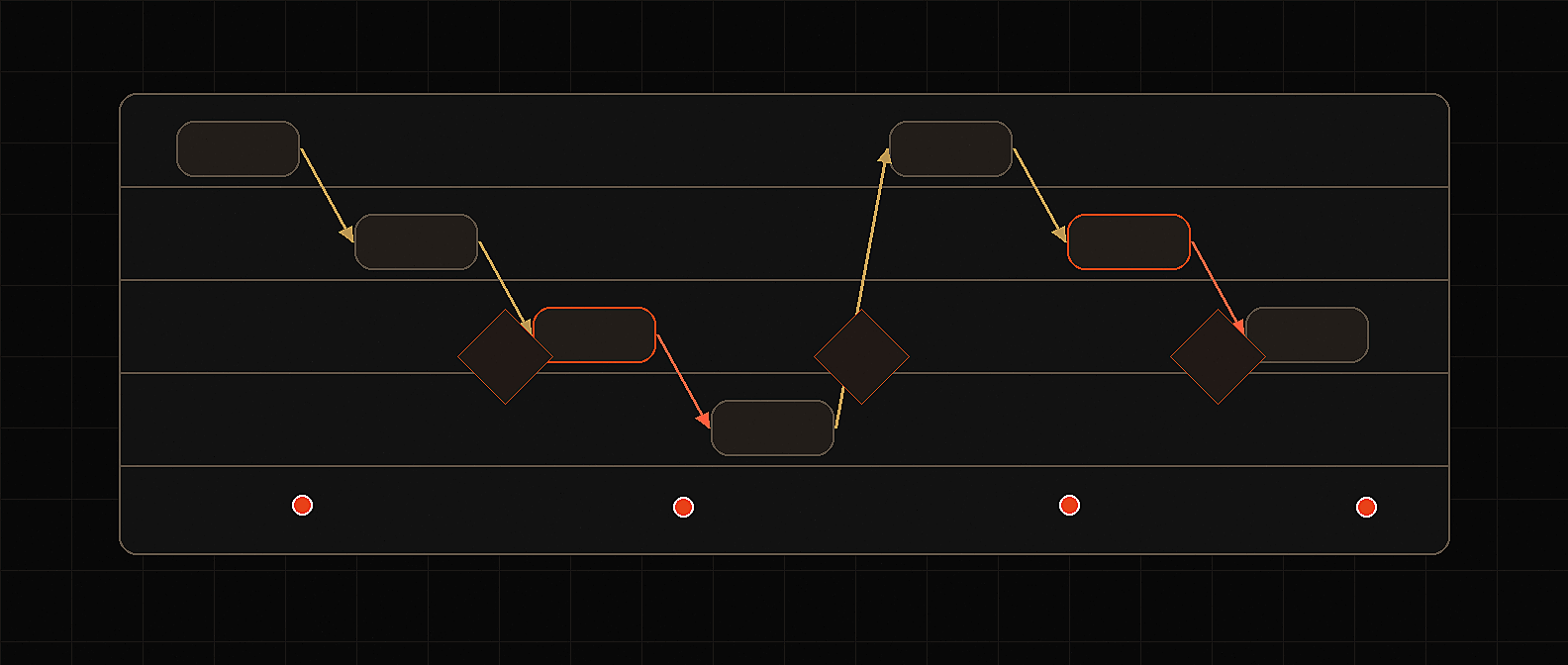
/blog/images/best-tools-for-process-visualization-in-design.png - Hero concept: dark editorial process canvas with user-flow screens, service blueprint lanes, BPMN symbols, system handoffs, exception loops, and one highlighted automation-ready gate.
- Comparison asset: turn the matrix below into a downloadable Process Visualization Tool Comparison Table.
- Screenshot requirements: capture public product-page screenshots for FigJam, Miro, Lucidchart, Mural, Whimsical, Overflow, Smaply, Microsoft Visio, SAP Signavio, and Nintex Process Manager. Store as
/blog/images/best-tools-for-process-visualization-in-design-{tool}.png. Do not hotlink vendor images.
Process visualization tool comparison table
Use this matrix when the buying team includes design, operations, and the technical owner who will eventually build or automate the workflow.
| Tool | Best fit | Strongest process visualization use | Automation handoff fit | Watch out for |
|---|---|---|---|---|
| FigJam | Design teams already working in Figma | User flows, early journey maps, lightweight process diagrams, design critiques | Medium, if paired with specs, tickets, and system fields | Easy to keep too much workflow logic trapped in design files |
| Miro | Cross-functional workshops and distributed teams | Process maps, swimlanes, user flows, journey maps, BPMN-style discovery, workshop boards | Medium to strong, if boards are converted into owner/system/exception specs | Can become an infinite canvas with no process owner |
| Lucidchart | Teams that need structured diagrams and broad workplace integrations | Process maps, system diagrams, swimlanes, data-linked diagrams, reusable documentation | Strong for implementation planning and documentation handoff | Less natural than whiteboards for messy early discovery |
| Mural | Facilitated workshops and alignment sessions | Flowcharts, role mapping, collaborative process design, GTM and service workflows | Medium, best after the workshop is converted into a build spec | Workshop energy can fade unless someone owns the follow-through |
| Whimsical | Fast product and startup teams | Quick flowcharts, user flows, sequence diagrams, wireframes, AI-assisted drafts | Medium for lightweight product handoff | Not a governed process repository |
| Overflow | Product and UX teams presenting screen-based flows | User-flow diagrams, high-fidelity screen flows, async design walkthroughs | Medium for product UI handoff, weaker for operations governance | Specialized for design story and screen flow, not broad BPM |
| Smaply | Service design, CX, and customer journey teams | Journey maps, service blueprints, journey repositories, AI-assisted journey creation | Medium, strong for frontstage/backstage clarity before automation design | Overkill if the team only needs a quick flowchart |
| Microsoft Visio | Microsoft-heavy enterprises and analysts | Flowcharts, cross-functional diagrams, BPMN 2.0, audit diagrams, value stream maps | Strong where formal documentation and Microsoft workflows matter | Collaboration can feel slower than web-first tools |
| SAP Signavio | Enterprise process transformation and governance | BPMN process models, shared process repository, modeling conventions, process analysis | Strong for governed automation and transformation programs | Too heavy for small design teams mapping one flow |
| Nintex Process Manager | Mid-market and enterprise process owners | Process capture, AI-assisted process maps, BPMN conversion, process hub | Strong when documentation connects to workflow automation | Requires ongoing ownership or the repository gets stale |
| IBM Blueworks Live | Teams needing a governed process modeling workspace | Process discovery, modeling, analysis, decision documentation | Strong for durable process discovery and modeling | More platform than many design teams need |
| Creately | Visual collaboration plus process context | Process maps, value stream maps, whiteboard-style BPM work, data-connected visuals | Medium, useful when process context needs more structure than a whiteboard | Validate governance and repository needs before standardizing |
| diagrams.net | Cost-sensitive teams and technical users | Free flowcharts, architecture diagrams, lightweight process maps | Medium for technical documentation, low for business governance | Low friction also means low control |
The decision: design artifact or operating model?
Most teams say they need a process visualization tool. They actually need one of three things:
| Need | What the team is really buying | Best shortlist |
|---|---|---|
| Design discovery | A way to see the user journey, product flow, or service experience | FigJam, Miro, Mural, Whimsical, Overflow, Smaply |
| Process documentation | A shared map of steps, owners, decisions, roles, and systems | Lucidchart, Visio, Creately, diagrams.net, Miro |
| Process governance and automation handoff | A durable model that can support controls, analysis, and implementation | SAP Signavio, Nintex Process Manager, IBM Blueworks Live, Lucidchart |
That split is the whole buying decision.
If the design team is mapping a checkout redesign, use FigJam, Miro, Whimsical, or Overflow. If operations is standardizing employee onboarding across HR, IT, legal, and finance, use Lucidchart, Miro, Visio, Creately, or a process management platform. If the map is going to drive workflow automation, process mining, compliance evidence, or AI agent design, treat visualization as the first layer of an operating model.
What to evaluate before choosing a tool
1. Map type
Start with the map, not the vendor.
Common formats include:
- User flow: how a user moves through screens, states, and decisions.
- Journey map: what a customer or employee experiences across stages.
- Service blueprint: frontstage actions, backstage work, support systems, and failure points.
- Swimlane: who owns each step across teams.
- Flowchart: steps, decisions, loops, and outcomes.
- BPMN diagram: formal process logic for complex business workflows.
- System handoff map: where data moves between tools, queues, APIs, and humans.
Design teams usually need user flows, journey maps, and service blueprints first. Operations and automation teams usually need swimlanes, system handoff maps, and exception paths before anyone builds.
2. Collaboration model
Process visualization is political. The map exposes who waits on whom, where approvals stall, and which system is not actually the source of truth.
Evaluate:
- live co-editing,
- comments and async review,
- guest access for clients or operators,
- facilitation tools,
- version history,
- permission controls,
- export and embed options,
- and whether non-design stakeholders can contribute without a training session.
This is why FigJam, Miro, Mural, and Lucidchart win many early evaluations. They make it easy to get people into the same visual space. The mistake is assuming collaboration equals governance.
3. Design-system proximity
If the process map explains a product flow, it should sit close to the design work.
FigJam is strong here because teams can pull screens, components, and design context from Figma into a diagram. Overflow is even more specialized for screen-based user flows because it can sync from Figma, Sketch, Adobe XD, and Photoshop, then present the flow as a design story. Miro and Whimsical are strong when the artifact is less about pixel-level UI context and more about the team understanding the path.
The practical rule: keep messy ideation near the design tool, but do not leave implementation-critical process logic only in a design canvas.
4. Notation depth
Most design workflows do not need BPMN. Some operational workflows absolutely do.
BPMN becomes useful when:
- the process has many decision branches,
- compliance or auditability matters,
- engineering needs precise state logic,
- multiple teams need a common process language,
- or the map is a precursor to workflow automation.
Microsoft Visio supports process methodology templates including BPMN diagrams and can create BPMN 2.0-compliant processes in supported plans. SAP Signavio, Nintex Process Manager, IBM Blueworks Live, and Bizagi-style process tools live closer to formal modeling and governed process management. They are rarely the right first canvas for a product design workshop. They may be exactly right once the workshop output becomes an automation project.
5. Repository and ownership
A process map without an owner becomes office archaeology.
Ask:
- Who owns the current-state map?
- Who approves changes?
- Where does the official version live?
- Can the map reference systems, roles, policies, documents, and metrics?
- Can teams see what changed?
- Can old maps be retired?
SAP Signavio emphasizes a shared process repository and modeling conventions. IBM Blueworks Live is positioned around discovering, modeling, and analyzing business processes. Nintex Process Manager supports process capture and refinement, including AI-assisted map generation and BPMN conversion. These capabilities matter when process visualization becomes the system of record for how work should happen.
6. Automation handoff
This is the criterion most tool roundups miss.
If the map will feed an automation build, it needs more than boxes and arrows. It needs:
- trigger: what starts the workflow,
- inputs: documents, forms, tickets, emails, records, or messages,
- systems: source of truth and destination systems,
- owner: human accountable for each step,
- decision rule: how each branch is chosen,
- exception path: what happens when confidence is low or policy is violated,
- approval point: where a human must review,
- output: record, task, message, document, payment, ticket, or update,
- audit trail: what must be logged,
- metric: cycle time, error rate, cost, SLA, revenue, or risk reduction.
A beautiful design map that lacks these fields is useful for alignment. It is not enough for production automation.
Tool notes
FigJam
FigJam is the cleanest first choice for product and design teams already living in Figma. Figma positions FigJam diagramming around user journeys, internal processes, shapes, connectors, templates, and bringing design components or screens into diagrams. FigJam AI can generate flow charts, Gantt charts, org charts, and other boards from prompts on paid plans.
Use FigJam when:
- designers need to map user flows close to the design file,
- stakeholders need a lightweight collaboration space,
- the team is moving from discovery to wireframes,
- and the map should help explain the product experience, not govern the whole business process.
The handoff risk is source-of-truth drift. Product flows in FigJam, requirements in docs, implementation notes in Jira, and exception logic in Slack will diverge. If the workflow is going into automation, export the decision logic into a structured implementation brief.
Miro
Miro is the best general workshop canvas for cross-functional process visualization. Its help materials describe mapping and diagramming across stages, with templates, real-time collaboration, export, presentation, and shape packs. Miro also supports process-map-oriented shape packs such as flowcharts, BPMN, and value stream mapping, with some advanced packs tied to higher plans.
Use Miro when:
- the process is still messy,
- operations, product, design, engineering, sales, finance, or legal all need to contribute,
- the team needs live and async collaboration,
- and the goal is to converge on a current-state or future-state view.
Miro is often the fastest way to get the truth out of the room. It is not automatically a process management system. Before automation, convert the board into a governed handoff: one workflow, one owner, one system map, one exception table, one measurement baseline.
Lucidchart
Lucidchart is a strong middle ground between design-friendly diagramming and implementation-ready documentation. Lucid's public materials emphasize process mapping, templates, real-time collaboration, presentation mode, shape libraries, data linking, and integrations across workplace tools.
Use Lucidchart when:
- diagrams need to be reused outside the design team,
- process maps must live in docs, wikis, or operating playbooks,
- system diagrams and business process maps need to sit near each other,
- and the team wants more structure than a whiteboard without buying a full BPM suite.
Lucidchart is often the better choice when process visualization needs to survive after the workshop. The watch-out is that structure alone does not create operating discipline. Someone still has to define naming, ownership, review cycles, and what counts as the official map.
Mural
Mural is strongest for facilitated collaboration. Its flowchart materials position it around process mapping, workflow diagrams, swimlane diagrams, stakeholder alignment, real-time editing, comments, and facilitation.
Use Mural when:
- the main job is alignment,
- the team needs a facilitated workshop,
- stakeholders are distributed,
- and the output is a shared understanding of roles, handoffs, and bottlenecks.
Mural works well for process discovery and GTM or service workflows. For automation, treat the Mural output as discovery evidence, then translate it into a build-ready process model.
Whimsical
Whimsical is good for fast, tidy diagrams. Its flowchart product and help materials emphasize quick flowchart creation, keyboard shortcuts, predictive shapes, editable AI-generated flowcharts, mind maps, sequence diagrams, and wireframes.
Use Whimsical when:
- a startup team needs fast product flow diagrams,
- the process is simple enough to keep lightweight,
- a product manager or designer wants a clean map without a heavy tool,
- and speed matters more than governance.
Whimsical is not the place to govern a complex operating model. It is excellent for thinking quickly and communicating clearly.
Overflow
Overflow is specialized for user flows and design presentations. Its product materials focus on bringing designs from Figma, Sketch, Adobe XD, and Photoshop into interactive user-flow diagrams, then sharing walkthroughs for synchronous or asynchronous critique.
Use Overflow when:
- the process being visualized is a screen-based product journey,
- the team wants to present a high-fidelity flow,
- stakeholders need to understand design logic without digging through the source design file,
- and async critique matters.
Overflow is less useful for general business process governance. It is very useful when the process is the product experience.
Smaply
Smaply belongs in the service design shortlist. Its help materials describe journey maps with flexible lanes, columns, cards, performance indicators, journey coordinators, tags, portfolio item summaries, templates, and AI-assisted journey creation. It also supports service blueprint work.
Use Smaply when:
- the process spans customer experience, employee experience, or service delivery,
- the team needs journey maps and blueprints, not just flowcharts,
- multiple personas or journey stages must be compared,
- and journey artifacts need more structure than a whiteboard.
Smaply is especially relevant before automating customer-facing or employee-facing workflows because it helps separate frontstage experience from backstage operational work.
Microsoft Visio
Visio is still relevant because many enterprises already use Microsoft tools and analysts know how to work with it. Microsoft documents process diagram templates for general-purpose process diagrams and specific methodologies such as BPMN, audit diagrams, ITIL diagrams, Six Sigma diagrams, TQM diagrams, and value stream maps. Microsoft also documents BPMN 2.0 support for compliant process diagrams in supported versions and plans.
Use Visio when:
- the organization is Microsoft-heavy,
- formal process documentation matters,
- analysts need classic diagram types,
- and the output must fit existing enterprise documentation habits.
The drawback is collaboration friction. For iterative design work, many teams will move faster in FigJam, Miro, Mural, or Lucidchart.
SAP Signavio
SAP Signavio is for process transformation, not casual diagramming. SAP's help materials describe Process Manager as a cloud platform for modeling and analyzing business processes, with a shared repository, shared dictionary, QuickModel for BPMN 2.0, modeling conventions, and process analysis.
Use SAP Signavio when:
- process visualization is part of enterprise transformation,
- the organization needs a governed repository,
- SAP-related process work is in scope,
- and process maps must support analysis, compliance, and change programs.
Signavio is overkill for a small product team mapping onboarding screens. It may be the right system when the map affects finance, procurement, compliance, ERP, and automation governance.
Nintex Process Manager
Nintex Process Manager is a good fit when process documentation needs to connect to automation. Nintex help materials describe generating, capturing, converting, and refining process maps with AI, creating processes manually, and converting BPMN process models into procedures.
Use Nintex Process Manager when:
- process ownership matters,
- maps need to become procedures,
- the team wants a process hub,
- and workflow automation is part of the broader operating plan.
The risk is stale documentation. A process manager only works if ownership, review cadence, and change management are real.
IBM Blueworks Live
IBM Blueworks Live is positioned as a cloud-based business process modeling tool for discovering, modeling, and analyzing business processes and decisions.
Use IBM Blueworks Live when:
- process discovery needs to become a durable model,
- multiple teams need controlled collaboration,
- decision documentation matters,
- and the team wants process maps to live in a managed workspace.
It is a better fit for process owners than for designers doing early ideation.
Creately and diagrams.net
Creately is useful for visual collaboration with more process context than a blank whiteboard. Its BPM materials emphasize whiteboard-like ease of use, process modeling, data capture, process improvement, and value stream mapping. diagrams.net is the low-friction option for free diagrams, technical docs, and teams that want simple flowcharts without procurement.
Use Creately when you need flexible visual collaboration with enough structure for process work. Use diagrams.net when budget, simplicity, or technical documentation is the main constraint.
Neither should be mistaken for an enterprise process governance layer unless the team deliberately builds the missing operating discipline around it.
Best tools by use case
| Use case | Best tools | Why |
|---|---|---|
| Product user flows | FigJam, Overflow, Whimsical, Miro | Keep the flow close to design screens and product discussion |
| Service blueprints | Smaply, Miro, Mural | Better for journey stages, personas, backstage work, and customer experience |
| Workshop process mapping | Miro, Mural, FigJam | Fast collaboration and easy stakeholder participation |
| Process maps for docs and wikis | Lucidchart, Visio, Creately, diagrams.net | Better fit for durable documentation and embedding |
| Formal BPMN modeling | Visio, SAP Signavio, Nintex Process Manager, IBM Blueworks Live | Better notation support and process discipline |
| Automation handoff | Lucidchart, SAP Signavio, Nintex Process Manager, IBM Blueworks Live, Miro with a structured spec | Stronger path from map to owners, systems, exceptions, and controls |
| Cost-sensitive diagramming | diagrams.net, FigJam, Whimsical | Enough capability for lightweight maps without a heavy buying process |
The Red Brick Labs POV
We would not start by buying a platform. We would start by choosing the map that matches the decision.
For a product design flow, use FigJam, Miro, Whimsical, or Overflow. Get the screen states, decision points, and user choices visible. Then extract the implementation logic into tickets or specs before engineering starts.
For a service or operations workflow, use Miro, Mural, Lucidchart, Smaply, or Creately. Map roles, handoffs, systems, exceptions, and what breaks today. Then decide whether the official version belongs in Lucidchart, Visio, Nintex, Signavio, Blueworks Live, or a process repository.
For automation, be stricter. A process visualization is not automation-ready until it names the trigger, data source, system of record, decision rules, confidence thresholds, human review points, exception queue, output action, audit trail, and success metric. Without those fields, the map is still useful, but it is not a build spec.
That is where teams waste time: they confuse a shared picture with an implementation plan.
Automation-ready handoff checklist
Before a process map becomes a build project, make sure the team can answer these questions.
| Handoff question | Why it matters |
|---|---|
| What event starts the workflow? | Automation needs a trigger. |
| What source system owns the input? | The build needs reliable access. |
| What fields or documents are required? | Missing inputs create exception volume. |
| Which steps are judgment-heavy? | These may need AI support or human review. |
| Which action is risky? | Risk defines approval and audit controls. |
| Who owns each step? | Automation without ownership fails quietly. |
| What exceptions happen often? | Common exceptions should be designed, not discovered in production. |
| Where should work be routed? | The output must land in the team's actual operating system. |
| What should be logged? | Audits, debugging, and trust depend on traceability. |
| What metric proves the map helped? | Cycle time, error rate, cost, SLA, or revenue impact should be visible. |
If the map cannot answer these, run a short workflow audit before choosing tools or building automation.
Backlink and asset angle
The linkable asset for this article is the Process Visualization Tool Comparison Table plus the Automation-Ready Handoff Checklist. Package it as a buyer worksheet for teams deciding whether they need a design canvas, a diagramming tool, a service design platform, or a governed process management system.
Good outreach targets:
- design ops newsletters,
- product management communities,
- service design resource pages,
- process excellence blogs,
- BPM and process mining roundups,
- no-code and workflow automation newsletters,
- vendor alternative pages that compare Miro, FigJam, Lucidchart, Visio, or Signavio,
- operator communities where teams are moving from workflow mapping into automation.
The pitch should be practical: most tool lists compare diagram features, but this one helps buyers decide whether the map can survive the handoff into operations and automation.
Sources and research notes
This guide was built from current public product and documentation sources, including Figma's FigJam diagramming and FigJam AI materials, Miro's mapping and diagramming documentation, Lucidchart process mapping and product pages, Mural's flowchart materials, Whimsical flowchart and AI documentation, Overflow user-flow product materials, Smaply journey editor documentation, Microsoft Visio process and BPMN support pages, SAP Signavio Process Manager help, Nintex Process Manager help, IBM Blueworks Live documentation, and market context from Gartner Peer Insights and Forrester's 2025 process intelligence coverage.
CTA
If your team has process maps scattered across FigJam, Miro, Lucidchart, Jira, SOP docs, and Slack threads, Red Brick Labs can help turn them into one automation-ready workflow model. We map the current state, define the exception paths, identify the safest first automation, and ship the first production workflow with human review and measurable ROI.
Book a 15-minute workflow audit or email suri@redbricklabs.io.
Audit your process visualization workflow: Red Brick Labs can turn your messy maps, workshops, SOPs, and handoff notes into a clean automation-ready workflow model with owners, systems, exceptions, review points, and implementation priorities.