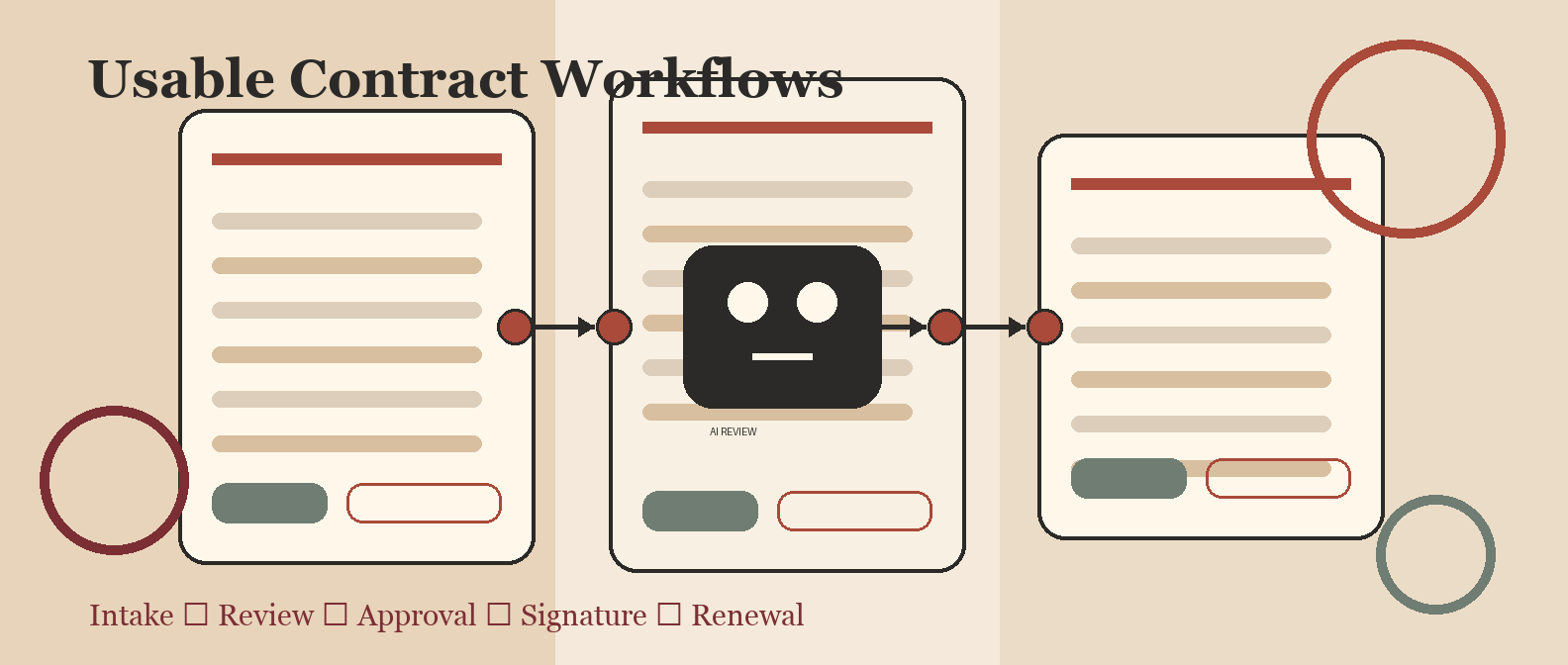
If you are thinking, "I want contract management software with great usability," you are asking the right question. Contract management fails less often because the feature list is thin and more often because sales, legal, finance, procurement, and operations refuse to live in the workflow.
The best contract management software with great usability is not necessarily the simplest product. It is the one that makes the right action obvious for each user: request a contract, choose a template, review a clause, approve a risk, sign the document, find the final agreement, and act before renewal dates become expensive surprises.
Short answer
For broad mid-market usability, start by comparing Juro, SpotDraft, Contractbook, Oneflow, and PandaDoc. For legal ops teams that need more control while still caring about adoption, compare Ironclad, LinkSquares, and Agiloft. For enterprise governance, Icertis, DocuSign CLM, Conga, and Sirion can be strong, but only if you have the process design and admin capacity to support them.
The practical rule: choose the easiest platform that can safely support your real contract workflow. If business users keep bypassing the system, the software has failed, however elegant the AI demo looked.
Use this as a companion to our broader best contract management software 2026 guide. If contract work is part of a wider document automation program, also compare accounts payable OCR software and free OCR software so you do not buy three disconnected tools for the same intake, extraction, and review problem.
Contract management usability comparison table
| Software | Best usability fit | Why users may like it | Watch-out | Best pilot test |
|---|---|---|---|---|
| Juro | Mid-market teams that want business users involved in contracting | Browser-native contract workspace, guided forms, templates, collaboration, and AI-assisted review/drafting | Confirm Word workflows, complex approval logic, repository migration, and pricing at your volume | Have sales or HR request, draft, negotiate, approve, and sign one real template without legal handholding |
| SpotDraft | Legal teams that want structured workflows without making business users suffer | Strong intake, workflow automation, Word/OnlyOffice collaboration, integrations, and legal ops control | Admin setup can matter more than the UI; validate reporting and permissions early | Build one non-standard MSA approval path with clause deviations and renewal metadata |
| Contractbook | Smaller teams that want lightweight CLM, templates, automations, and AI assistance | Cleaner starting point than spreadsheets and shared drives; approachable for basic contract operations | May not fit deep enterprise governance, complex obligations, or heavy legal ops reporting | Import 25 agreements and test search, renewal alerts, template updates, and export needs |
| Oneflow | Commercial teams that need easy digital contracts and signing | Simple sales-friendly contract creation, live documents, e-signature, and AI review features | May be too light for legal-heavy clause governance or obligation management | Run a quote/order-form workflow from CRM request to signed contract and repository search |
| PandaDoc | Sales proposals, quotes, order forms, and simpler agreements | Familiar document-building experience for revenue teams, approvals, e-signature, and content blocks | Not a full legal CLM for complex playbooks, obligations, or contract intelligence | Test proposal-to-contract creation, sales approval, signature, and handoff into CRM/finance |
| Ironclad | Modern legal ops teams that need adoption plus stronger workflow control | Polished intake, workflows, repository, playbooks, AI features, and enterprise-grade legal operations | More powerful systems require more process clarity and admin ownership | Configure a sales contract workflow with intake, playbook-guided review, approval, signature, and reporting |
| LinkSquares | Teams prioritizing repository usability, search, analytics, and legal intelligence | Strong contract search, metadata, reports, and lifecycle visibility for legal ops | If intake and drafting are the main pain, repository-first value may not be enough | Import legacy contracts and test search accuracy, renewal reporting, metadata confidence, and owner assignment |
| Agiloft | Complex workflows that need configurability and governance | Highly configurable CLM with deep workflow automation and admin control | Configurability can become complexity; adoption depends on implementation discipline | Recreate your hardest approval path and time how long admins need to maintain it |
| DocuSign CLM | Teams already deep in DocuSign agreement workflows | Familiar e-signature ecosystem, CLM workflows, templates, approvals, and agreement storage | CLM value depends on implementation quality, not DocuSign familiarity alone | Connect e-signature, CRM, approval routing, final storage, and reporting for one contract type |
| Icertis / Conga / Sirion | Enterprise contract governance, obligations, procurement, revenue, and supplier complexity | Powerful lifecycle, intelligence, obligation, and integration capabilities | Heavyweight implementation; usability depends on change management and data quality | Pilot one high-risk contract family with obligations, approvals, metadata, reporting, and escalation |
What "great usability" actually means in CLM
Usability in contract management is not just a nice interface. A contract system has multiple user types with different tolerance for friction:
- Sales wants to generate agreements quickly without waiting three days for legal.
- Legal wants complete context, version control, approved language, and risk escalation.
- Finance wants payment terms, billing triggers, renewal dates, and entity details to be correct.
- Procurement wants supplier terms, approvals, insurance, security, and obligations tracked.
- Operations wants a reliable system of record that does not depend on someone remembering a spreadsheet.
A usable CLM system helps each group do its job while preserving the controls the company needs. That is harder than making a pretty request form. Pretty forms are how vendors sell. Adopted workflows are how operators win.
The Red Brick Labs usability scorecard
Before you watch another demo, score each product from 1 to 5 on these criteria:
| Criterion | What good looks like | Bad sign |
|---|---|---|
| Request intake | Business users can submit a complete request in under five minutes | Legal still gets vague Slack messages and missing context |
| Template selection | Users are guided to the right contract type, region, language, and clause set | People keep cloning old Word documents |
| Collaboration | Redlines, comments, versions, and approvals stay traceable | The workflow collapses as soon as negotiation starts |
| Approval routing | Risk, value, region, data terms, finance impact, and clause deviations route correctly | Every contract gets the same generic approval path |
| AI review | AI suggests summaries, clause flags, and metadata with human review gates | AI output is treated as truth because it sounds confident |
| Repository search | Users can find agreements by party, owner, renewal, clause, obligation, and status | The repository is just a prettier shared drive |
| Renewal ownership | Alerts lead to assigned action, escalation, and reporting | Calendar reminders disappear into inbox soup |
| Admin effort | Legal ops can update templates, rules, and fields without a developer for every change | Every small change needs a services ticket |
| Integrations | CRM, e-signature, storage, finance, procurement, identity, and Slack/Teams fit the workflow | Users manually re-key contract data across tools |
| Adoption evidence | Non-legal users use the system without being chased | The vendor demo looked great, then everyone routed around it |
This table is the backlink asset: a simple way for buyers, consultants, and legal ops teams to compare contract platforms by operational fit instead of vendor theatre.
Best for business-user adoption: Juro
Juro is often worth a serious look when the buyer cares about business-user adoption. Its product positioning emphasizes a browser-native contract workspace, guided forms, templates, collaboration, approval workflows, and AI support for review and drafting. Independent comparison pages and G2 comparisons commonly frame Juro as strong on usability and faster onboarding, especially for mid-market teams.
Choose Juro when sales, HR, procurement, or operations users need to participate directly in contract creation and review. The main demo question is not "does legal like the admin console?" It is: can a non-legal user complete the request, pick the right template, collaborate, and move the contract forward without inventing a side-channel process?
Watch for fit around Word-heavy negotiation, complex permission models, high-volume legacy repository migration, and integration depth. Lightweight usability is good. Lightweight governance is not.
Best for legal ops control with strong usability: SpotDraft
SpotDraft is a strong candidate when legal wants structured intake, workflow automation, approvals, and governance while still keeping the experience tolerable for business teams. Vendor comparisons highlight Word/OnlyOffice collaboration, simultaneous editing, integrations, rapid onboarding, and scalable workflows. G2 comparisons commonly put SpotDraft in the same usability conversation as Juro and Ironclad.
Choose SpotDraft when the legal team is the workflow owner and needs more than a simple document builder. It is especially relevant when contracts need formal intake, clause deviation review, approval routing, and repository structure.
The watch-out is implementation discipline. A powerful workflow builder can still create a miserable user experience if you encode every organizational anxiety into the first request form. Start with the two or three highest-volume contract types, not the entire legal department's wish list.
Best for lightweight contract operations: Contractbook and Oneflow
Contractbook and Oneflow are worth comparing when the team wants a more approachable starting point than enterprise CLM. Contractbook positions around AI-enabled contract management, templates, lifecycle automation, and repository workflows. Oneflow is often a fit for digital contracts, commercial workflows, e-signature, and AI review in a simpler buying motion.
Choose this category when your current state is scattered documents, missed renewals, inconsistent templates, and too much manual follow-up, but you do not need enterprise obligation management yet.
The tradeoff is depth. Lightweight tools can be excellent if the workflow is simple. They become risky if the business needs clause governance, complex approval routing, custom metadata, obligation tracking, and cross-system reporting.
Best for sales-led documents: PandaDoc
PandaDoc is not always the first name legal ops teams think of for CLM, but it can be highly usable for sales proposals, quotes, order forms, and simpler commercial agreements. The UI pattern is familiar to revenue teams: create a document, use approved content blocks, route approvals, send for signature, and track status.
Choose PandaDoc when the main pain is commercial document speed, not legal portfolio intelligence. If the buyer is RevOps or sales operations, PandaDoc may produce faster adoption than a heavy CLM platform.
Do not force it to become enterprise legal infrastructure if your real requirements are clause playbooks, obligation tracking, advanced repository search, multi-entity approvals, and legal ops reporting.
Best for modern legal ops: Ironclad and LinkSquares
Ironclad and LinkSquares belong on the shortlist when usability has to coexist with stronger legal operations. Ironclad is frequently positioned around intake, workflow automation, contract collaboration, repository, playbooks, and AI-based contract management. LinkSquares is often strongest when teams need contract repository intelligence, search, analytics, lifecycle visibility, and reporting.
Choose Ironclad when intake, review, approvals, and contract workflow are central. Choose LinkSquares when legacy contract visibility, metadata, renewal reporting, and search are the biggest pain.
The usability risk is not that these products are bad. It is that legal teams buy depth before defining the workflow. If your intake forms, metadata fields, approval paths, and repository taxonomy are political compromises, the UI cannot save you.
Best for enterprise governance: Icertis, DocuSign CLM, Agiloft, Conga, and Sirion
Enterprise CLM platforms can be usable for enterprise teams, but only under a different definition of usability. At enterprise scale, usability means the system can support complex roles, risk controls, entities, procurement requirements, obligations, integrations, reporting, and auditability without collapsing.
Icertis, DocuSign CLM, Agiloft, Conga, and Sirion should be evaluated when contracts are high-volume, high-risk, cross-functional, and tied to revenue, procurement, supplier performance, compliance, and finance operations.
The danger is obvious: enterprise platforms magnify process debt. If your organization cannot agree on templates, clause ownership, approval thresholds, metadata fields, or renewal responsibility, buying heavier software just gives the disorder a procurement-approved budget.
Demo script: how to test usability properly
Do not ask vendors to show a generic tour. Give each shortlisted vendor the same scenario:
- A sales rep requests an MSA for a new customer.
- The request includes customer type, contract value, region, data processing, security requirements, payment terms, and non-standard liability language.
- The system chooses or suggests the right template.
- Legal reviews the clause deviation with an AI summary and a human approval gate.
- Finance approves payment terms.
- The counterparty redlines the agreement.
- The final version is signed.
- Metadata is extracted and reviewed.
- The agreement is stored with permissions.
- Renewal and notice dates create assigned tasks, not passive reminders.
- Legal ops can report on cycle time, bottlenecks, deviations, and upcoming renewals.
Then make the vendor show the admin side: changing a template, editing an approval rule, adding a metadata field, fixing an extraction error, and exporting data. Many tools look beautiful until the second week, when someone has to maintain them.
Red Brick Labs POV
The most usable contract management software is usually the one that fits the workflow you can actually operate in the next 90 days. That is why Red Brick Labs starts with workflow mapping before vendor selection.
For contract automation, we look at:
- Intake paths from sales, procurement, HR, finance, and operations.
- Template governance and approved language.
- Redline and collaboration habits.
- Approval rules by risk, amount, region, data terms, and clause deviation.
- Repository metadata and search requirements.
- Renewal ownership and escalation.
- AI review controls, confidence thresholds, and human-in-the-loop gates.
- Integrations with CRM, e-signature, cloud storage, finance, procurement, Slack/Teams, and identity.
That same pattern applies across document automation. If your team is also evaluating invoice extraction or OCR, compare the operational lessons in accounts payable OCR software and best free OCR software. The tool category changes. The failure mode is the same: buying extraction or workflow software before defining ownership, exceptions, and controls.
CTA: audit the workflow before you buy
If you are choosing contract management software and usability is the deciding factor, do not start with a vendor demo marathon.
Red Brick Labs can run a contract workflow audit that maps your intake, templates, approvals, AI review points, repository metadata, renewal ownership, and integrations. The output is a practical shortlist, a pilot workflow, and a comparison table your legal, finance, sales, and operations teams can actually use.
Audit your contract workflow before buying CLM: Red Brick Labs maps contract intake, approvals, metadata, renewal ownership, AI review controls, and integrations so you can choose software your team will actually use.
Sources and research notes
Vendor features and AI capabilities change quickly. Treat this article as a workflow-first buying guide, then verify current functionality, pricing, security posture, implementation model, and integration details directly with each vendor.
Source links reviewed for this comparison:
- G2 comparison: Ironclad vs Juro
- G2 comparison: Juro vs SpotDraft
- G2 comparison: Ironclad vs LinkSquares
- Juro buyer guide to contract management software
- Juro vs Oneflow comparison
- SpotDraft vs Juro comparison
- Ironclad product overview
- Ironclad AI-based contract management
- LinkSquares products
- SpotDraft product features
- Contractbook AI contract management
- Oneflow AI Review
- PandaDoc contract management software
- Agiloft product overview
- DocuSign CLM
- Icertis AI-powered contract intelligence
- Conga contract intelligence
- Sirion AI obligation extraction and SLA alerts
Related Red Brick Labs reading:
FAQ
What contract management software has the best usability?
For many mid-market teams, Juro, SpotDraft, Contractbook, Oneflow, and PandaDoc are good starting points for usability. If you need deeper legal operations control, compare Ironclad and LinkSquares. If you need enterprise governance, compare Icertis, DocuSign CLM, Agiloft, Conga, and Sirion, but expect a heavier implementation.
Is usability more important than features in contract management software?
Usability is more important than feature count, but not more important than risk control. The right answer is the easiest system that still supports the contract types, approvals, metadata, permissions, renewals, AI review controls, and integrations your business actually needs.
How do we test CLM usability before buying?
Run one real contract through the entire lifecycle: intake, template selection, drafting, redlining, approval, signature, repository storage, metadata extraction, renewal alert, and reporting. Then test the admin work required to maintain templates, rules, users, and fields.
What is the biggest usability mistake in CLM buying?
The biggest mistake is buying for legal admins only. Contract management involves business users, finance, procurement, sales, and operations. If non-legal users do not understand when and how to use the system, the workflow will move back to email, Slack, shared drives, and spreadsheets.